Table of contents
Our Dashboard Training Videos plugin is now in the official WordPress.org plugin directory. That means you can install it the same way you install any other plugin: from the Plugins screen in your own dashboard, in about two minutes.
- The plugin is listed on WordPress.org as ByRivers Dashboard Training Videos.
- It is free, and it comes with our complete WordPress Fundamentals course: 52 video lessons inside your dashboard. No account and no license key.
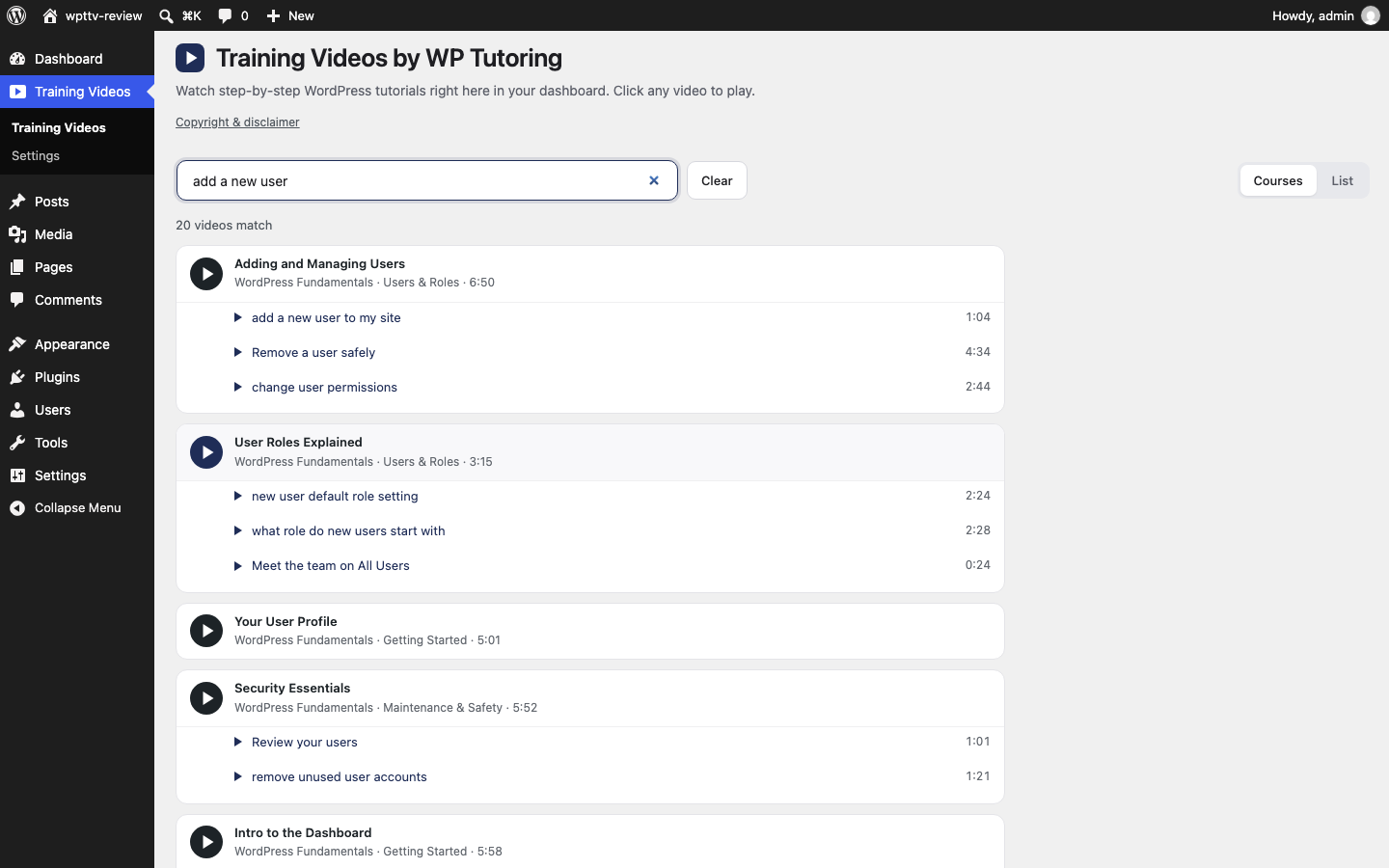
- Type what you want to do, like "add a new user", and the video starts at the moment that answers it.
- Pro is $39 per site per year and unlocks every other course in the library.
What the plugin does
It adds a Training Videos menu to your WordPress dashboard. Open it and you get a library of short, step-by-step video lessons, right beside the screen you are trying to use. Pause the lesson, do the step, press play again.
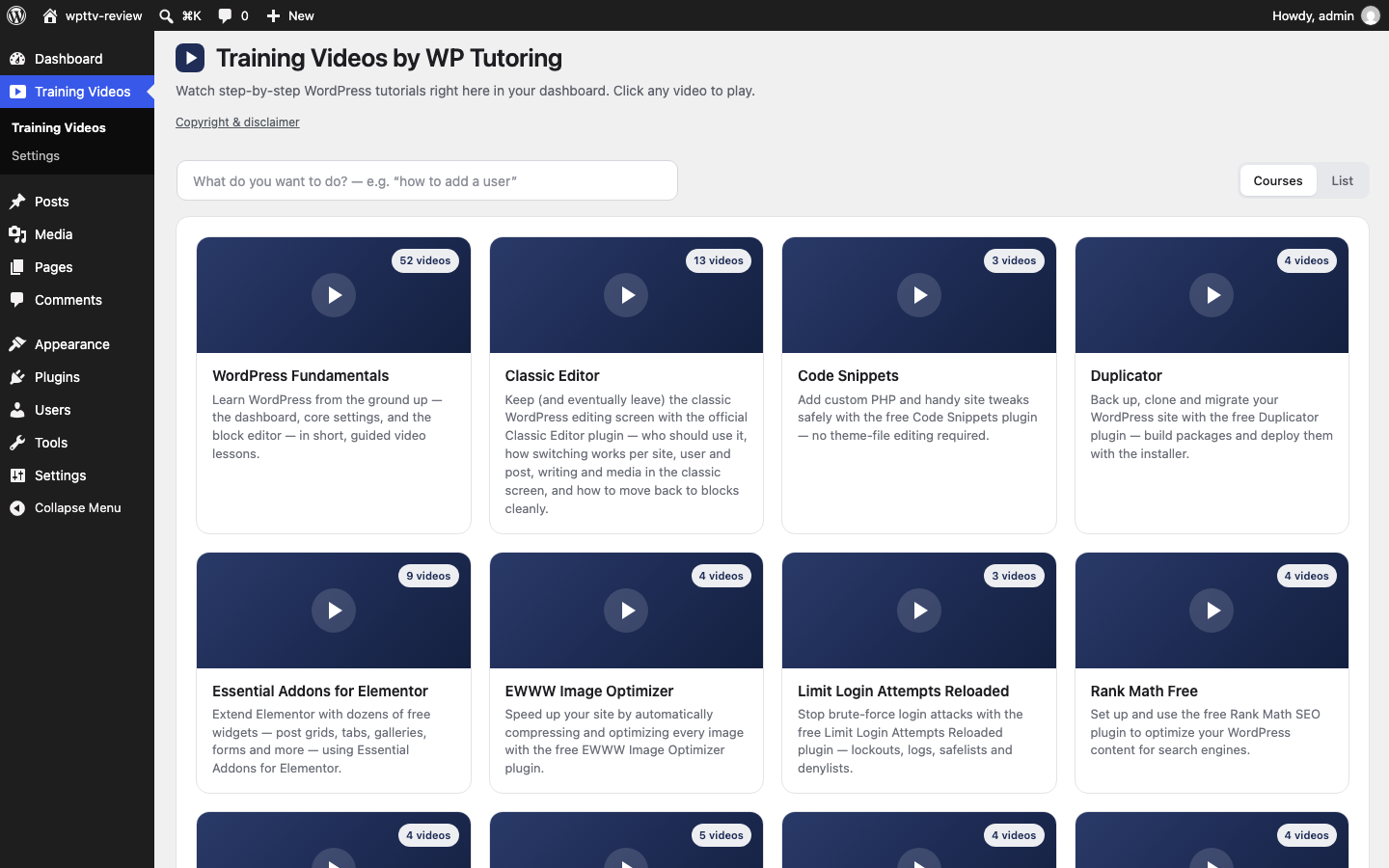
The free plugin includes the whole WordPress Fundamentals course. That is 52 lessons covering the dashboard, settings, posts and pages, the block editor, media, themes, menus, plugins, users, backups and security.
Search by task and jump to the answer
A video library only helps if you can find the two minutes you need. So the search looks inside the lessons, not just at their titles.
Type what you are trying to do, in your own words. The results show the lessons that cover it and the exact moments inside each one. Click a moment and the video starts there.
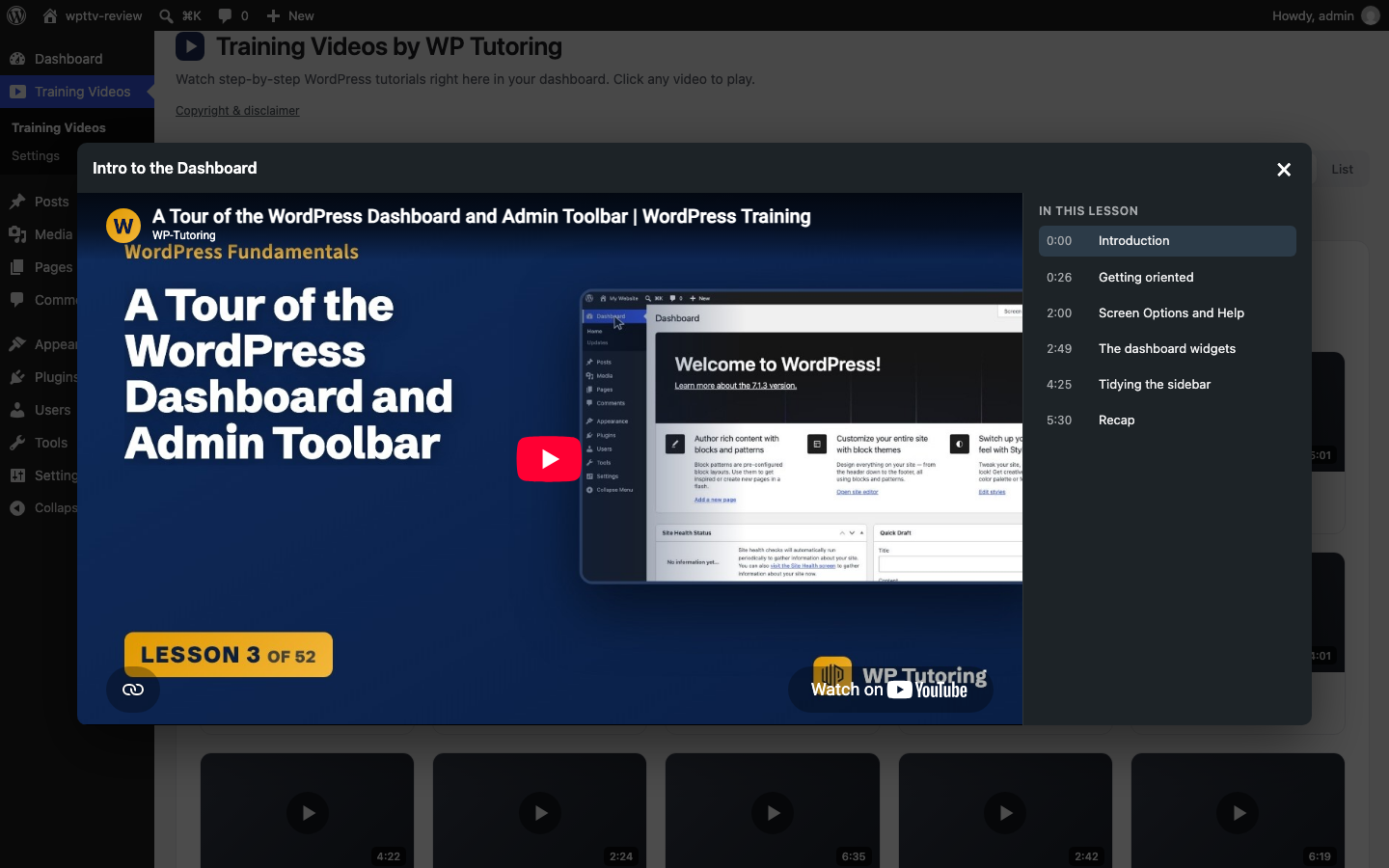
Each lesson also lists its chapters beside the player, so you can skip to the part you came for.
How to install it
You need WordPress 5.8 or newer, PHP 7.4 or newer, and an administrator login.
In your dashboard go to Plugins → Add Plugin. On older versions of WordPress the menu item is called Add New.
Type ByRivers Dashboard Training Videos in the search box.
Click Install Now, then Activate.
A Training Videos menu appears in the sidebar. The free course is already there. Press play on lesson one.
If you have never installed a plugin before, our guide on installing a WordPress plugin walks through each screen. You can also download the plugin from its WordPress.org page.
Because the plugin now comes from WordPress.org, new versions show up on your normal Dashboard → Updates screen with the rest of your plugins.
You decide who watches what
The plugin is built for sites that more than one person logs in to. If you hand a site to staff, volunteers or clients, they can look up "how do I add a post?" themselves instead of asking you.
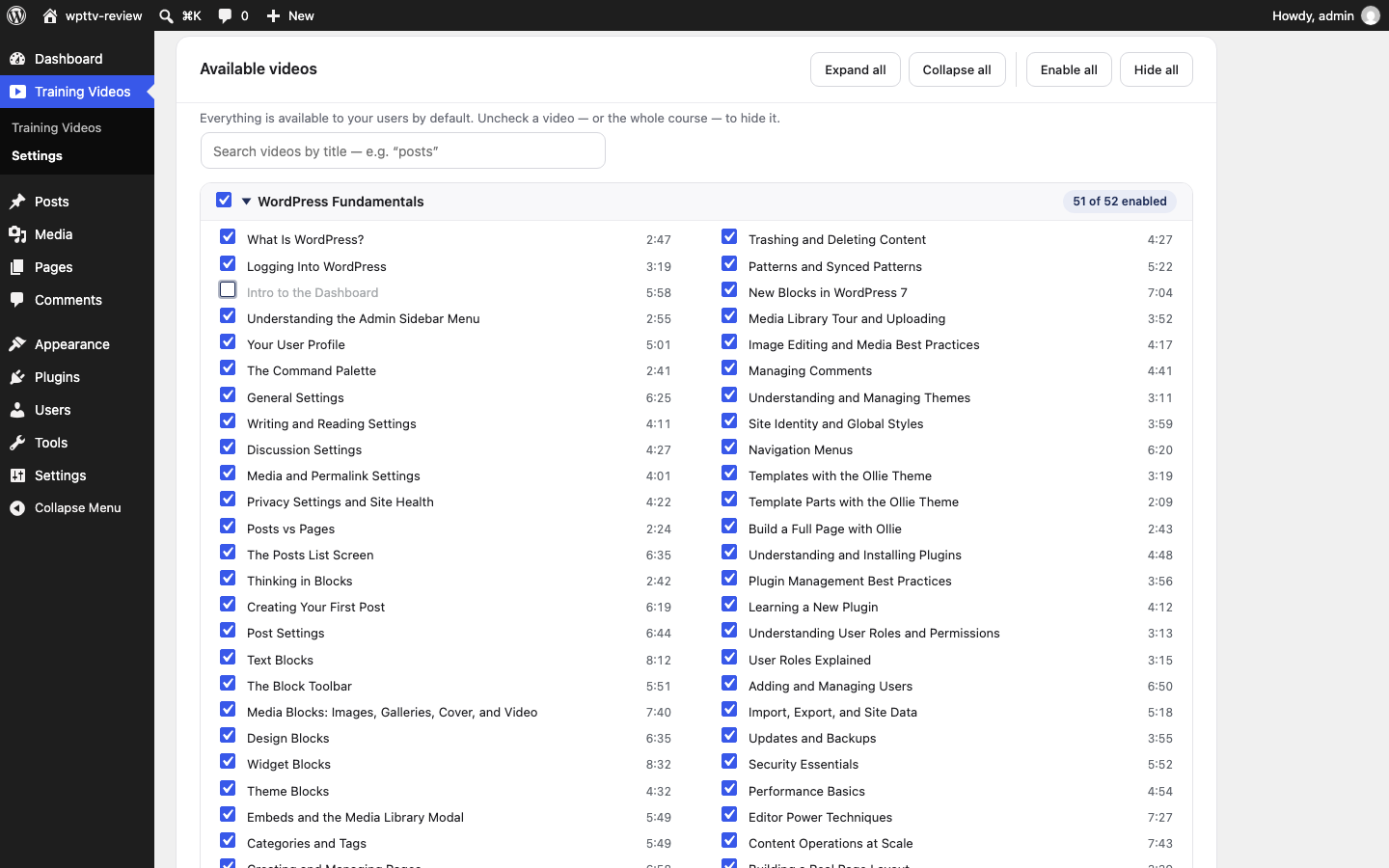
In Training Videos → Settings you choose which user roles can watch, from Subscriber up to Administrator. Everything is shown by default. Untick a lesson, or a whole course, to hide it from your users. Only administrators can see or change these settings.
Nothing is stored on your hosting. Lessons play in YouTube's privacy-enhanced player, and nothing appears on your public pages.
What Pro adds
The free version is not a trial. WordPress Fundamentals stays free, with the search included, for as long as you use the plugin.
Pro is $39 per site per year. It unlocks every other course in the library, which today is 30 courses and more than 200 lessons, including WooCommerce, Rank Math, Contact Form 7 and Code Snippets. New courses appear in your library as we publish them, at no extra cost during your year.
You can see what Pro includes before you buy. The Pro courses are listed in your library, locked, below the free course, and the search tells you when one of them answers your question.
To upgrade, paste a license key into Training Videos → Settings. There is nothing else to install. Details are on the plugin page and the pricing page.
Try it and tell us what you think
Install the plugin from WordPress.org and open the first lesson. If you get stuck or have a question about it, post in the plugin's support forum on WordPress.org and we will answer there.
This is version 1.0.0 in the directory, so the listing is brand new. If the plugin helps you, a review on WordPress.org helps other site owners find it.
And when you hit the one thing a video cannot solve, one-on-one WordPress training on your own site is still here.

Leave a comment