NewThe WP Tutoring WordPress training platform is live — on demand video courses and interactive WordPress lessons. Free account, no card.Start free
Helping site owners learn WordPress since 2012 · (844) WP-TUTOR
Plugins

Contact Form 7 Spam Protection: reCAPTCHA, Honeypots, Akismet

Stop Contact Form 7 spam in layers: reCAPTCHA v3 via the Integration screen, the quiz tag nobody talks about, honeypots, and Akismet.

WT
WP Tutoring TeamWordPress Instructors
Updated Oct 9, 2026
2 min read
Table of contents

An unprotected Contact Form 7 form will eventually become a spam faucet — CF7's markup is the most recognized form pattern on the web. The durable answer is layers, cheapest first. Shot on CF7 under WordPress 7.0, August 2026.

TL;DR The 30-second version
  • Start free and invisible: CF7's quiz tag or a honeypot add-on.
  • Add reCAPTCHA v3 via Contact → Integration for volume spam.
  • Akismet filters what sneaks through into a spam pile instead of your inbox.
  • Never delete suspicious mail unseen — false positives are real leads.
Layer 1: a quiz question (built in, zero accounts)

Edit your form and add one line to the Form tab:

[quiz quiz-1 "What is two plus three? (digit)|5"]

Humans answer once; bots fail silently. On low-traffic sites this alone often ends the problem. Manage your forms under Contact → Contact Forms:
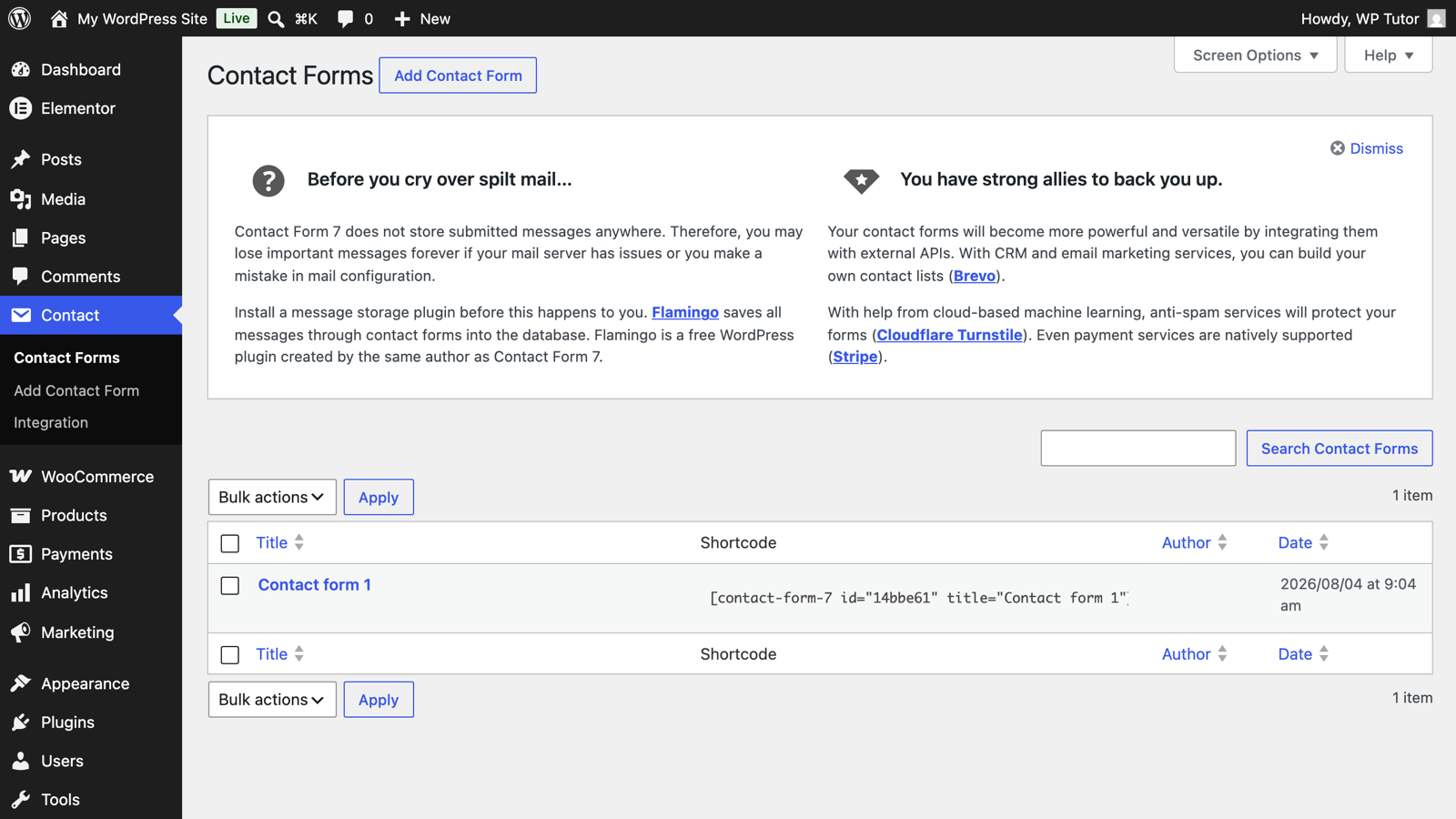
The Contact Form 7 forms list

Layer 2: reCAPTCHA v3 via the Integration screen

Contact → Integration is where CF7 connects external services:
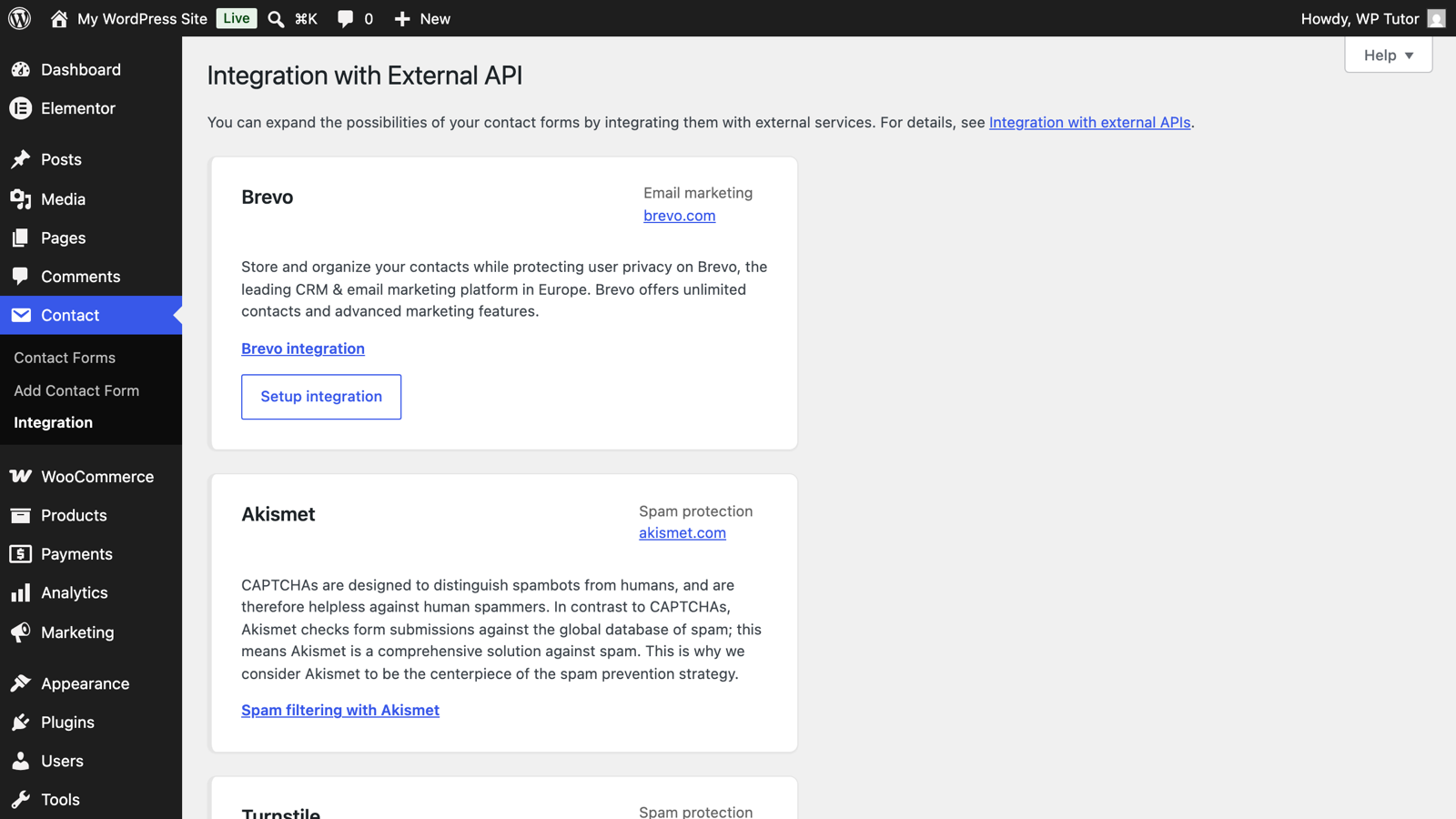
Contact Form 7's Integration screen with reCAPTCHA

Click Setup integration under reCAPTCHA, create v3 keys at Google's reCAPTCHA admin console for your domain, and paste the site and secret keys. Protection applies to all your CF7 forms at once — no per-form tags needed.

Layer 3: Akismet for the leftovers

CF7 integrates with Akismet (the same service that guards comments). With Akismet active and an API key set, add akismet:author, akismet:author_email flags to your name/email fields, and suspicious submissions get flagged as spam instead of delivered.

Test as a human

Submit the form normally and confirm it still works — every anti-spam layer is also a chance to block real people. If you use reCAPTCHA, watch the first week for legitimate messages that stopped arriving (privacy browsers can score poorly) and loosen if needed.

Spam that keeps coming after protection

If spam continues with all layers on, it's likely humans (cheap manual spam) or a bot targeting WordPress comments instead — different doors, different locks. Check where it's actually entering before adding more form plugins.

Keep learning

Frequently asked questions

Why am I suddenly getting so much spam through Contact Form 7?
Bots crawl for CF7's standard markup and post directly to it — no protection means every bot that finds the form succeeds. It's not an infection; it's an unguarded door.
Is reCAPTCHA v3 annoying for real visitors?
v3 is invisible — no image puzzles; it scores each submission behind the scenes. The tradeoff is a Google badge on the page and occasional false positives on privacy-hardened browsers, which is why we pair it with (not replace it with) other layers.
What's the simplest spam fix if I don't want Google involved?
CF7's built-in quiz tag — one human question ("What's 2+2?") added to the form kills the bulk of bot spam on small sites, no accounts or APIs required.
WT

WP Tutoring Team

WordPress Instructors

We’ve been teaching WordPress to individuals and businesses since 2013 — through step-by-step tutorials, video courses, and 1-on-1 tutoring sessions.

Leave a comment

Comments are reviewed before they appear.

Get our free WordPress starter guide

Join thousands of site owners and get step-by-step WordPress tutorials in your inbox, plus printable cheat sheets.

Beginner-friendly, no jargon
Printable cheat sheets & checklists
Unsubscribe anytime

Request your session

We’ll reply quickly — usually the same business day.

By using this form you agree with the storage and handling of your data by this site.

Start learning WordPress free — on video, step by step

Two full modules of WordPress Fundamentals, every Quick Fix lesson and the free plugin courses, taught on a real WordPress site. A free account is an email address — no card, no trial clock.

Or browse the full course library first →