Table of contents
Half of email debugging is establishing a basic fact: did the site actually send the message? FluentSMTP's log answers it — every email, every status, resend included. Here's how to read it like a support pro. Shot on FluentSMTP under WordPress 7.0, August 2026.
- Settings → FluentSMTP → Email Logs — every message with status and timestamps.
- Sent = your mail service accepted it; delivery problems after that are DNS/spam-folder territory.
- Failed entries carry the exact error — fix, then Resend.
- Set log retention (e.g. 14 days); logs contain full message bodies.
Logging is an option in FluentSMTP's settings (on by default with a new connection). The Email Logs tab then lists everything the site sends — form notifications, order emails, password resets:
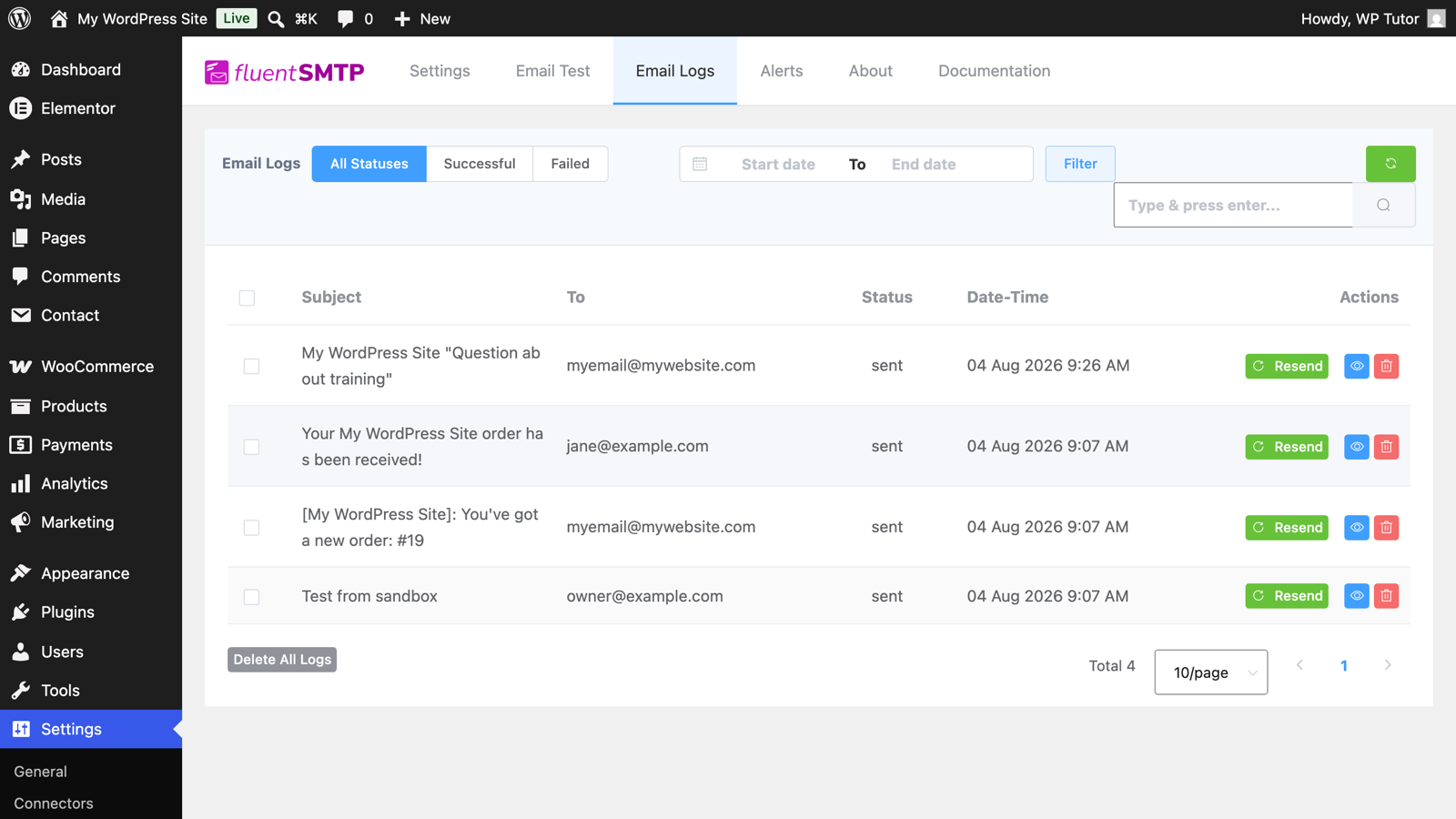
Filter by status (Successful/Failed), search by recipient or subject, and click any row for the full message, headers included.
- Sent — your SMTP provider accepted the message. Your site's job is done; anything missing after this lives in spam folders or DNS (SPF/DKIM) territory.
- Failed — the provider refused it, and the entry shows why: authentication failure, rate limit, malformed address. This is your actionable queue.
Every entry has Resend — for the customer who lost their receipt, and for re-firing failures after you fix the underlying error. Combined with the Email Test tab for synthetic checks, you can verify a fix in seconds:
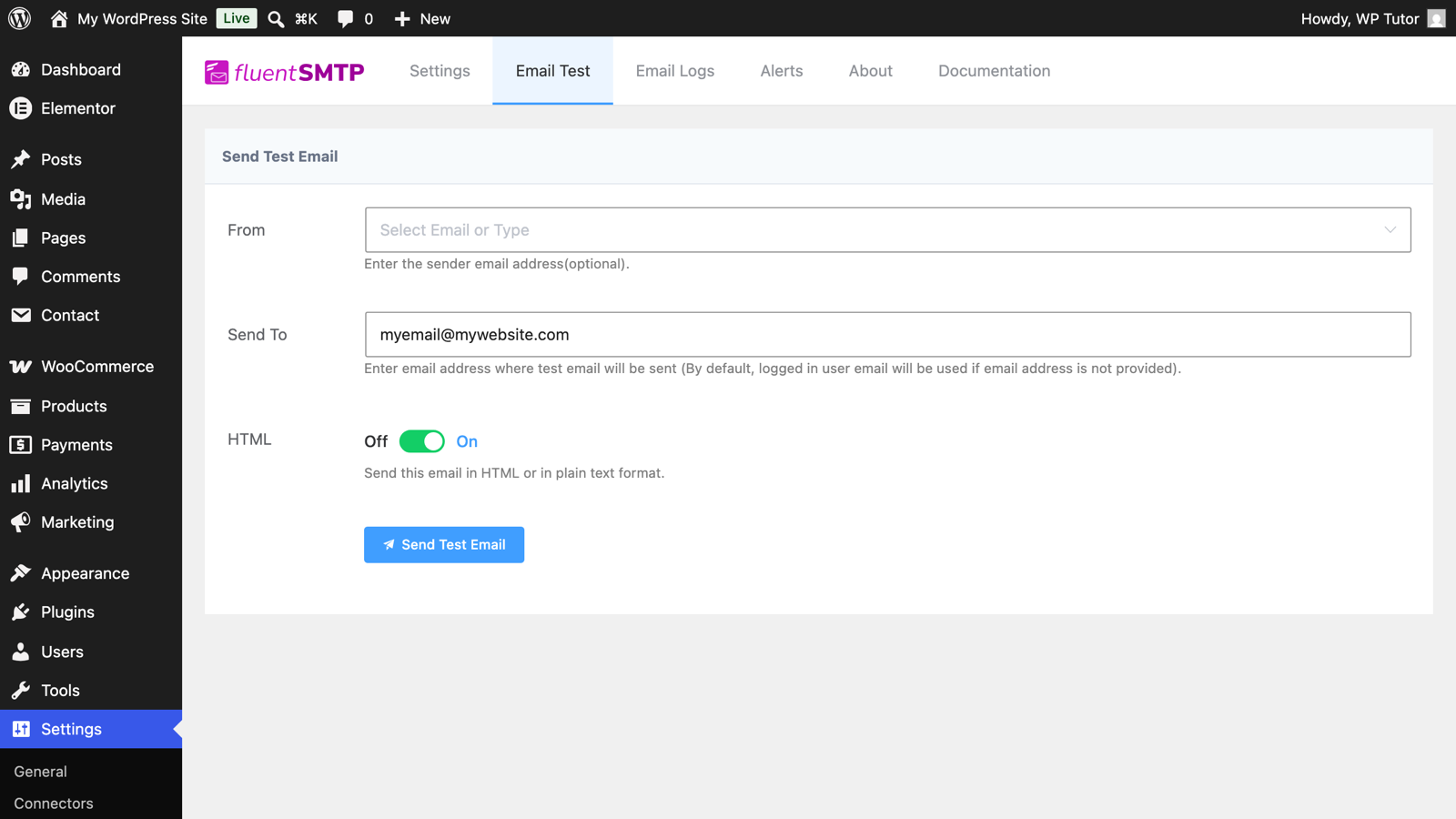
In settings, set logs to auto-delete after your debugging horizon — two weeks covers most disputes without hoarding message content forever. Then the log just runs, waiting for the next "did it send?" to answer in five seconds.
When a client says "the site isn't emailing," the log turns a vague complaint into one of exactly two tickets: site → provider (failed entries, fix credentials) or provider → inbox (sent entries, fix DNS). That split is half the diagnosis done.
Keep learning
- What is SMTP and why your WordPress site needs it
- Contact Form 7 basics
- WordPress contact forms — the ultimate guide
Leave a comment