Table of contents
Video Gallery can be created by different plugins in WordPress. We'll use a plugin "Video Gallery" to do that. See our another tutorial "Installing a WordPress Plugin" to get the instructions of installing a plugin. Follow the steps below after installing the plugin.
Creating a Video Gallery in WordPress
STEP 1 : After installing the plugin, go to Video Gallery > Video Galleries from the dashboard. 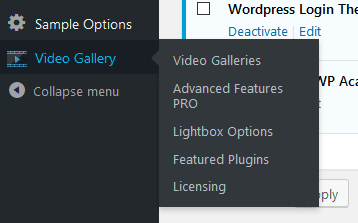 STEP 2 : There you'll find a video gallery My First Video Gallery which is automatically generated by the plugin. Click on that gallery.
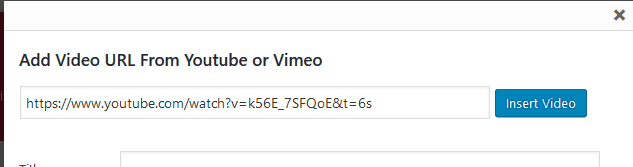
 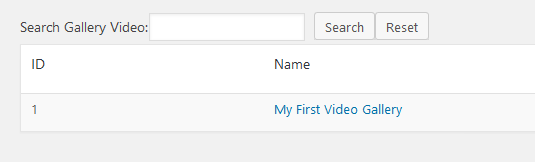 STEP 3 : Now click Add Video and put your youtube or vimeo video link in that popup box. Add video title, description and url if you want. Then click Insert Video.
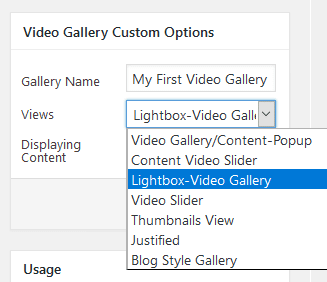
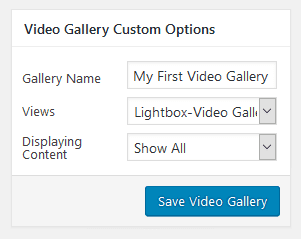
 STEP 4 : Select the gallery type from the Views dropdown.
  STEP 5 : Click Save Video Gallery to save the changes.
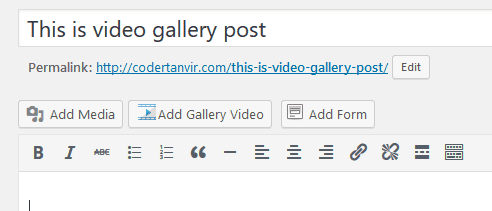
  STEP 6 : Now open the page or post editor where you want to show the videos as a gallery and click Add Gallery Video.
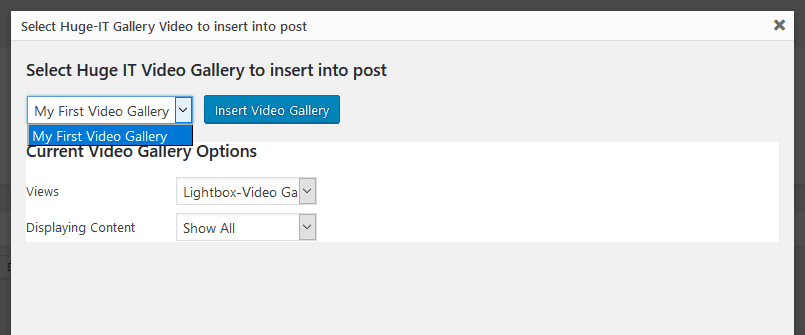
  STEP 7 : Select your video gallery and click Insert Video Gallery. Then update the page or post.
  That's it. Now you can see the video gallery in your page or post.



Leave a comment