NewThe WP Tutoring WordPress training platform is live — on demand video courses and interactive WordPress lessons. Free lessons included.Start free
Helping site owners learn WordPress since 2012 · (844) WP-TUTOR
SEO

Switching from Yoast to Rank Math Without Losing Your SEO

Migrate Yoast to Rank Math safely: what imports (titles, metas, keyphrases), the right order of operations, and what to verify after.

WT
WP Tutoring TeamWordPress Instructors
Updated Sep 21, 2026
2 min read
Table of contents

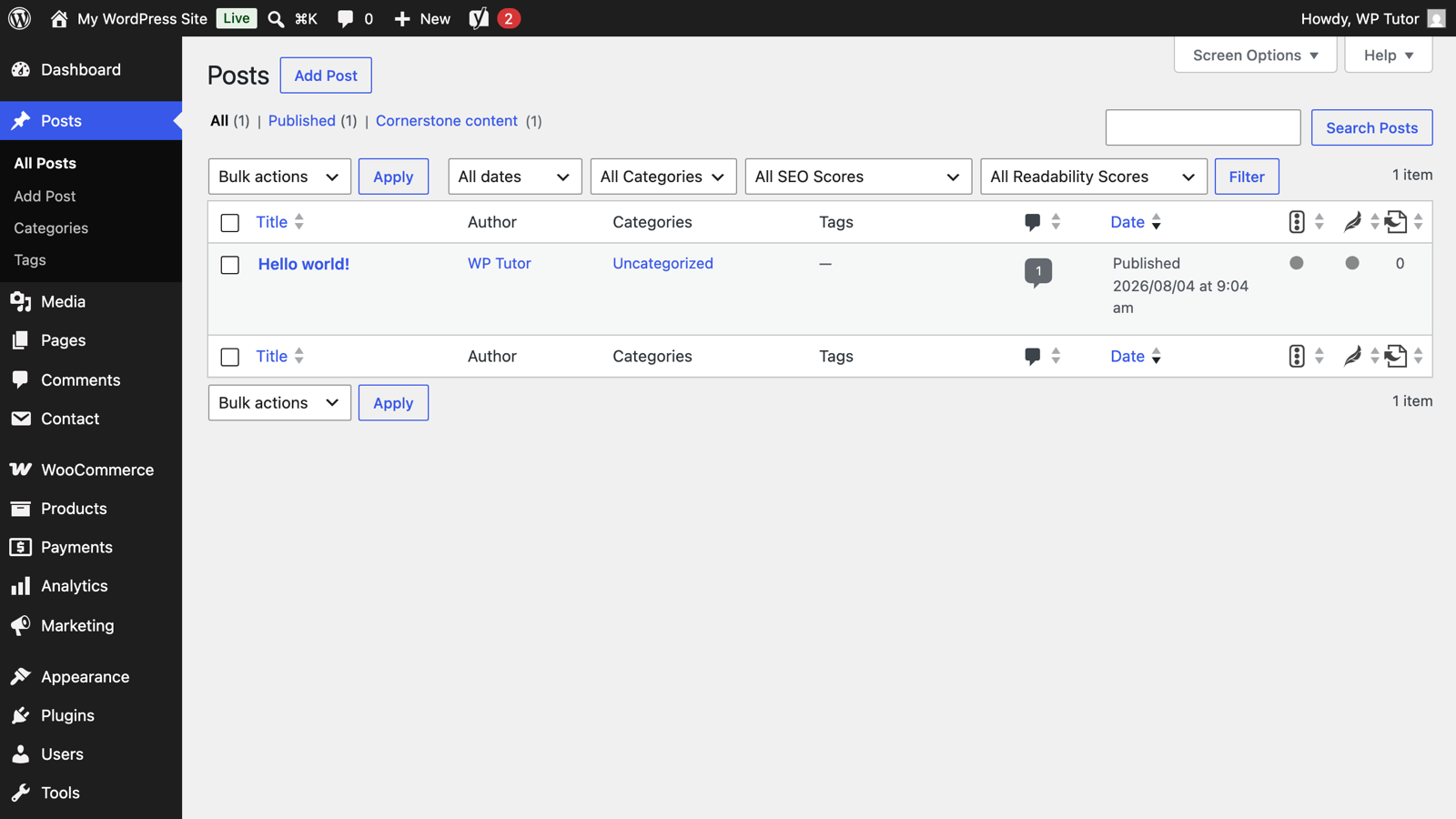
Rank Math's import makes leaving Yoast almost anticlimactic — it detects Yoast's data and carries your titles, descriptions, and keyphrases across. The skill is in the order of operations and the after-checks. Shot on Rank Math importing from Yoast under WordPress 7.0, August 2026.

Still deciding whether to switch at all? Watch our comparison first:

TL;DR The 30-second version
  • Back up first; this touches every post's SEO metadata.
  • Install Rank Math while Yoast's data is still in the database — the wizard offers the import.
  • Import, spot-check 5–10 key pages, then deactivate Yoast the same day.
  • Resubmit the new sitemap in Search Console.
Back up, then install Rank Math

Take a full backup (your regular backup plugin or a host snapshot). Then install and activate Rank Math while Yoast is still installed — Rank Math needs Yoast's data present to import it. Ignore the plugins-page conflict warning for the next ten minutes.

Run the import step

In Rank Math's setup wizard, the Import step appears automatically when Yoast data is detected:
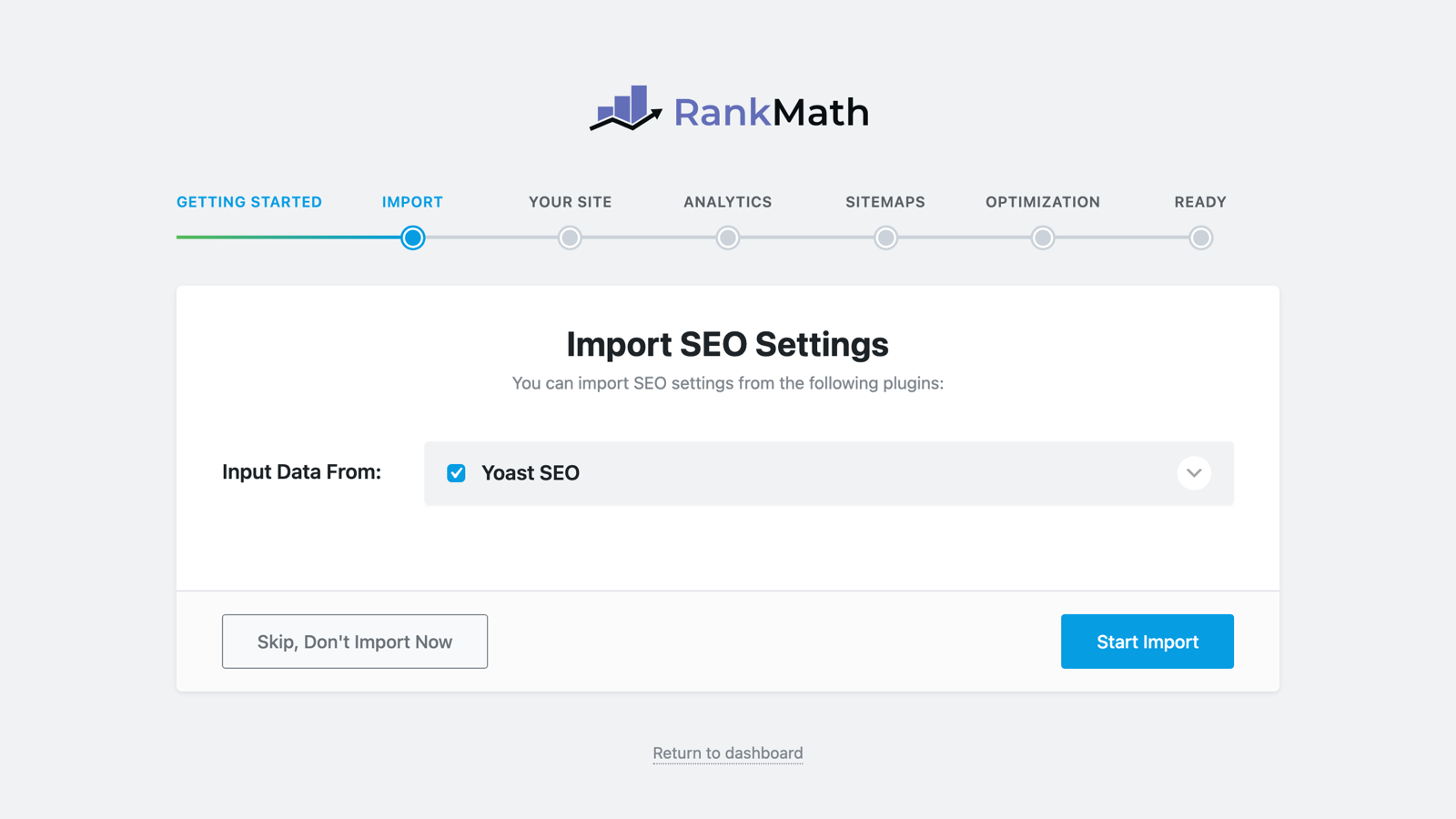
Rank Math's Import SEO Settings step with Yoast SEO detected

Expand the Yoast entry to see exactly what will transfer, click Start Import, and let it finish. On a large site this can take a few minutes — don't close the tab.

Spot-check before burning the boats

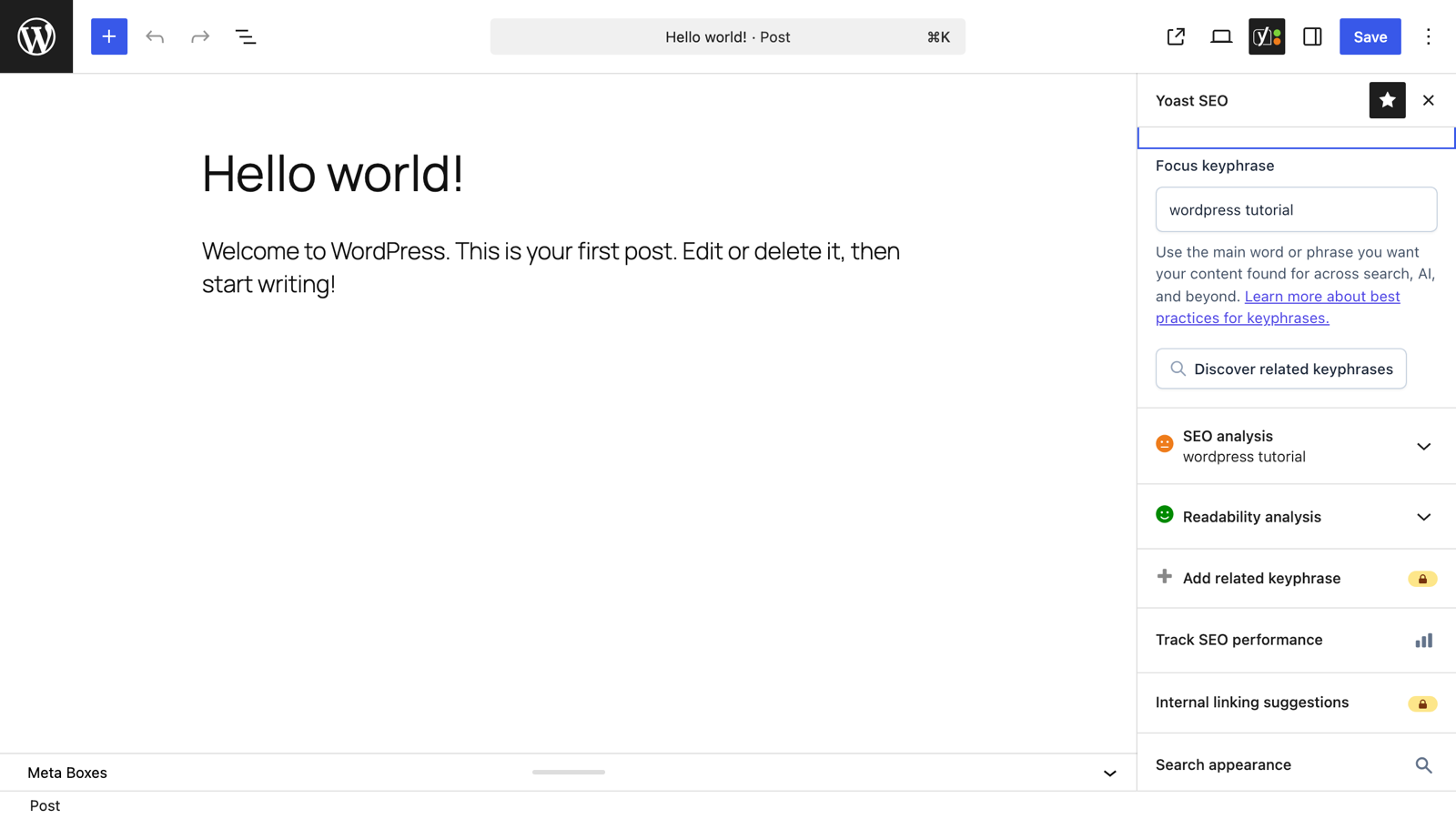
Open your five most important pages and confirm in the Rank Math sidebar that the SEO title, meta description, and keyphrase came across. View one page's source and check the title tag renders the imported value. Then deactivate (and later delete) Yoast — same day, so the two never fight over output.

Point Google at the new sitemap

Rank Math serves its sitemap at /sitemap_index.xml (same path Yoast used — convenient). In Search Console, confirm the sitemap reads successfully. Enable the modules you need on the dashboard and you're fully moved:
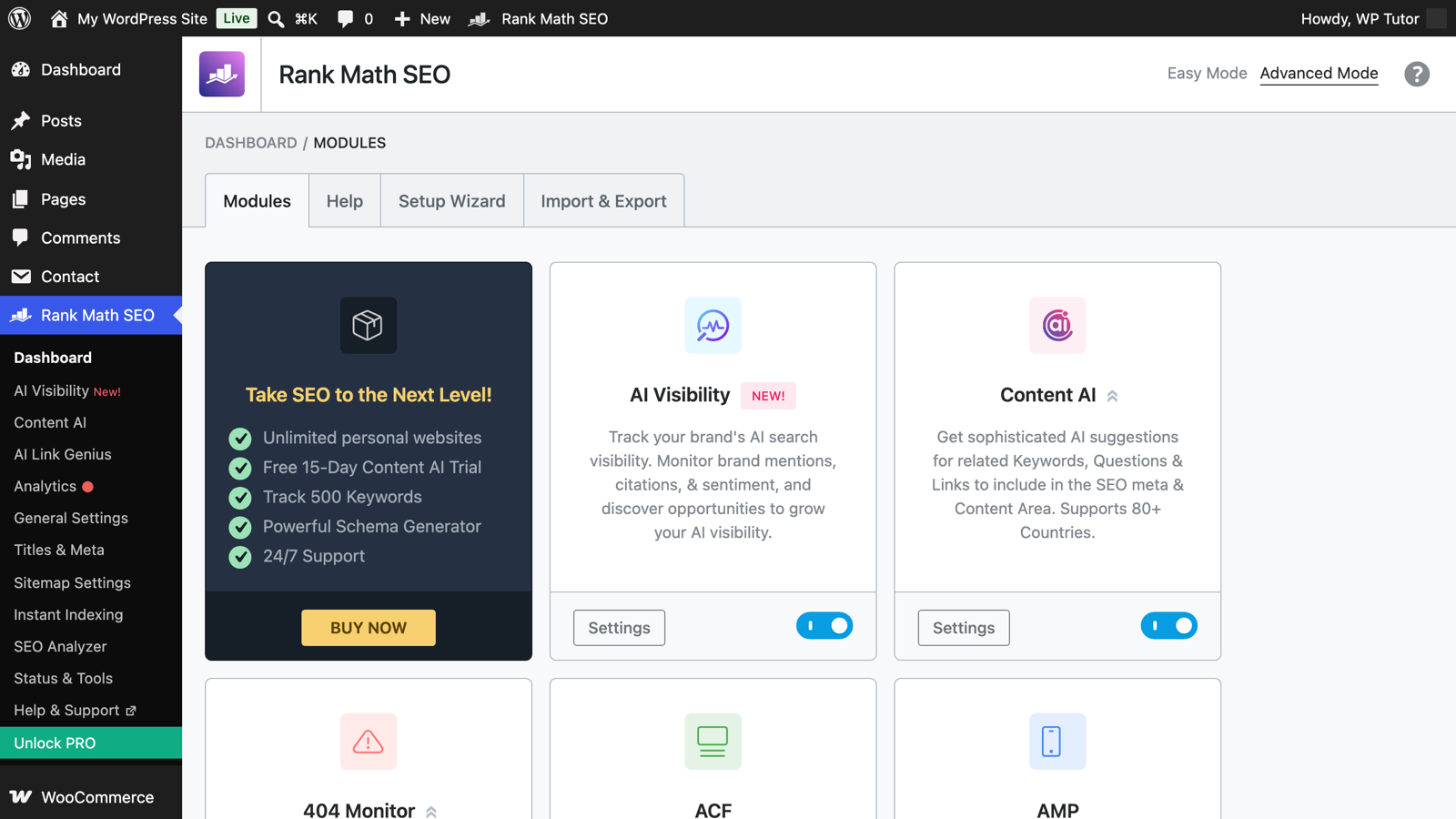
The Rank Math dashboard after migration

Yoast Premium users: export redirects first

The importer covers Yoast's core data. Redirects from Yoast Premium should be exported (CSV) before you deactivate, then imported into Rank Math's Redirections module — losing redirects is the one genuinely painful migration mistake.

Keep learning

Frequently asked questions

Will I lose rankings switching from Yoast to Rank Math?
Not from the switch itself, done right — your content and URLs don't change, and the import carries titles, metas, and keyphrases over. Ranking risk comes from sloppy migrations: leaving both active, or losing custom titles by skipping the import.
What exactly does Rank Math import from Yoast?
Per-post SEO titles and meta descriptions, focus keyphrases, noindex/nofollow settings, cornerstone flags, social previews, and the relevant global settings. Yoast Premium redirects need exporting separately.
Can I keep both plugins active while I decide?
No — two SEO plugins output duplicate titles, metas, schema and sitemaps simultaneously, which is worse than either alone. Import first, then deactivate Yoast the same day.
WT

WP Tutoring Team

WordPress Instructors

We’ve been teaching WordPress to individuals and businesses since 2013 — through step-by-step tutorials, video courses, and 1-on-1 tutoring sessions.

Leave a comment

Comments are reviewed before they appear.

Get our free WordPress starter guide

Join thousands of site owners and get step-by-step WordPress tutorials in your inbox, plus printable cheat sheets.

Beginner-friendly, no jargon
Printable cheat sheets & checklists
Unsubscribe anytime

Request your session

We’ll reply quickly — usually the same business day.

By using this form you agree with the storage and handling of your data by this site.

Access our WordPress Training Academy videos

Step-by-step video courses covering the block editor, themes, plugins, and everything you need to build a site you’re proud of. Free lessons included — browse the full library before you sign up for anything.

Explore the Academy