Table of contents
The Gallery Shortcodes feature allows you to add one or more images to make a gallery
Shortcodes Examples
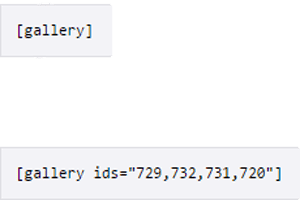
But as of now it is much easier to create and manage a gallery with the Gutenberg gallery block
STEP 1: Move Your Cursor over the add new block button and click gallery block
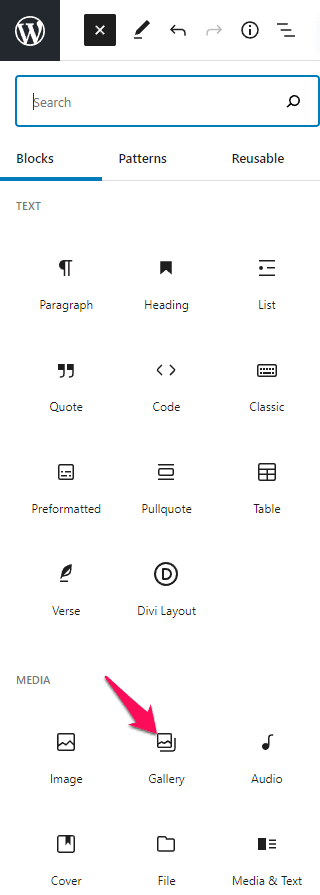
STEP 2: Gallery block will load and will give you two options to either upload new images or use images from your media library
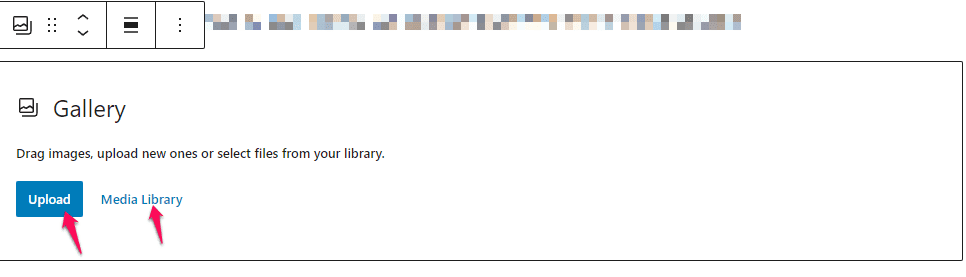
There are two ways to get your images into your gallery; you can upload your files or add them from your media library
Uploading Files: Upload the image you want to use from your computer by dragging it into the upload area.
Adding from Media Library: Select from any previously uploaded images.
STEP 3: Creating Gallery
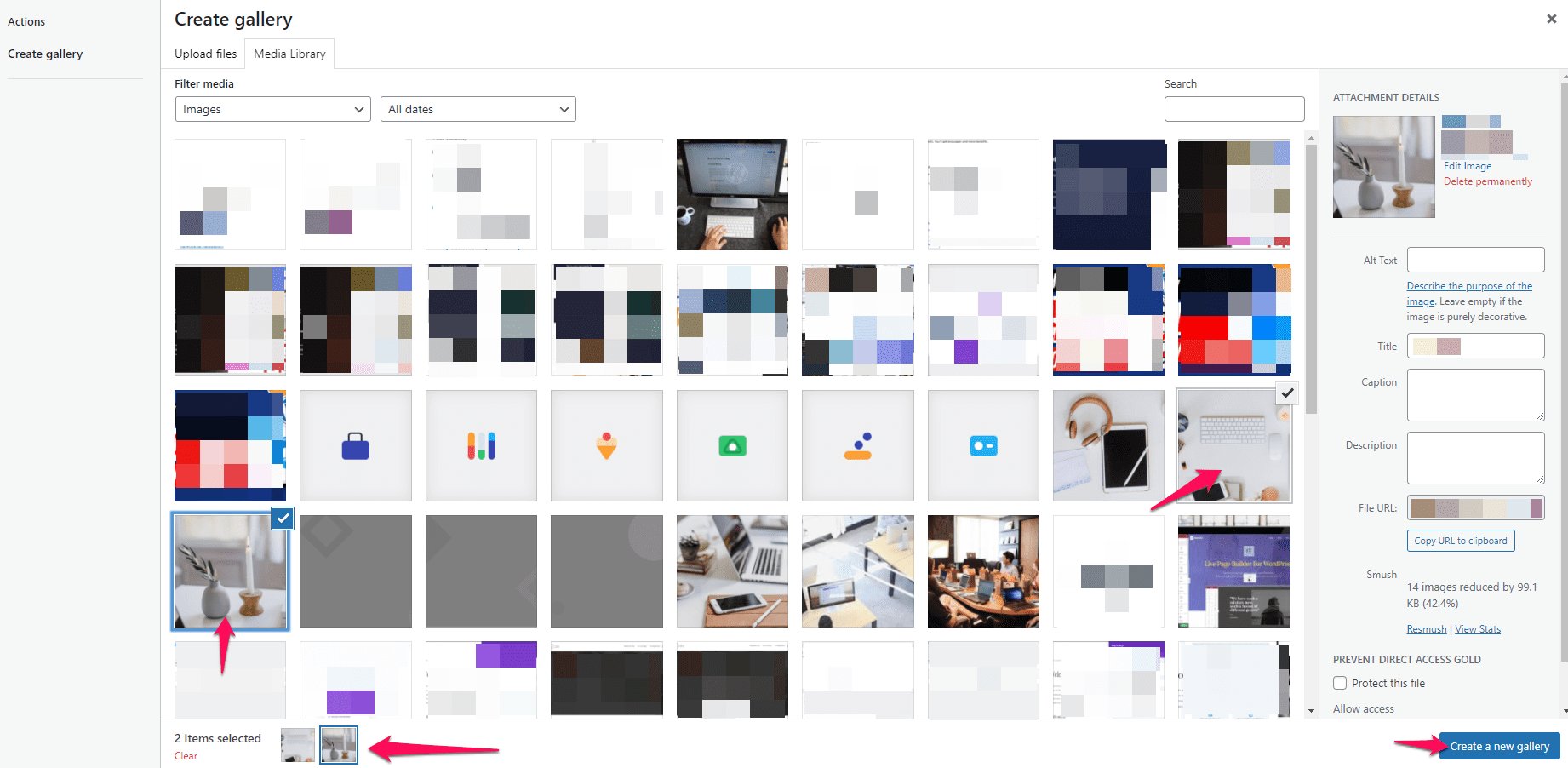
After clicking on create gallery you select the pictures you would like to add in your gallery.
Once your images are selected you can add captions to them then Insert Gallery
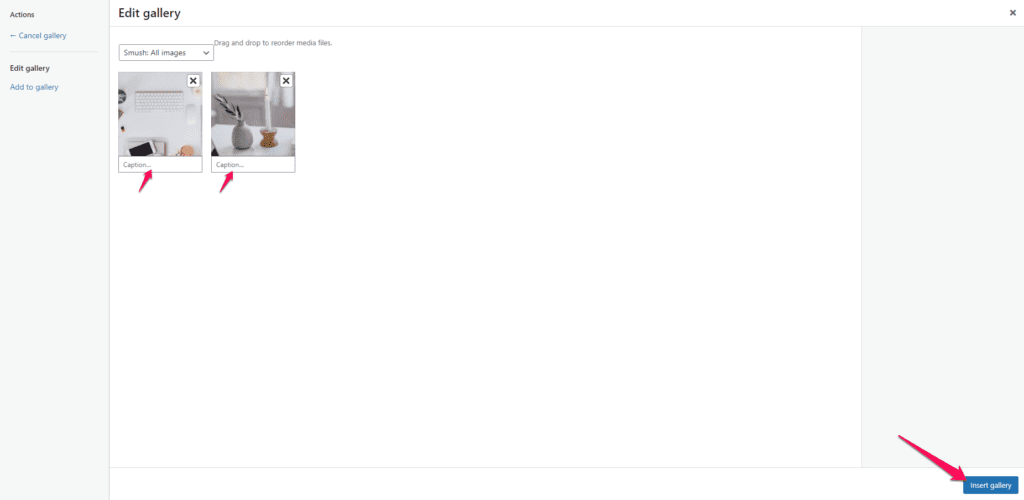
Step 4: Editing Gallery and Saving
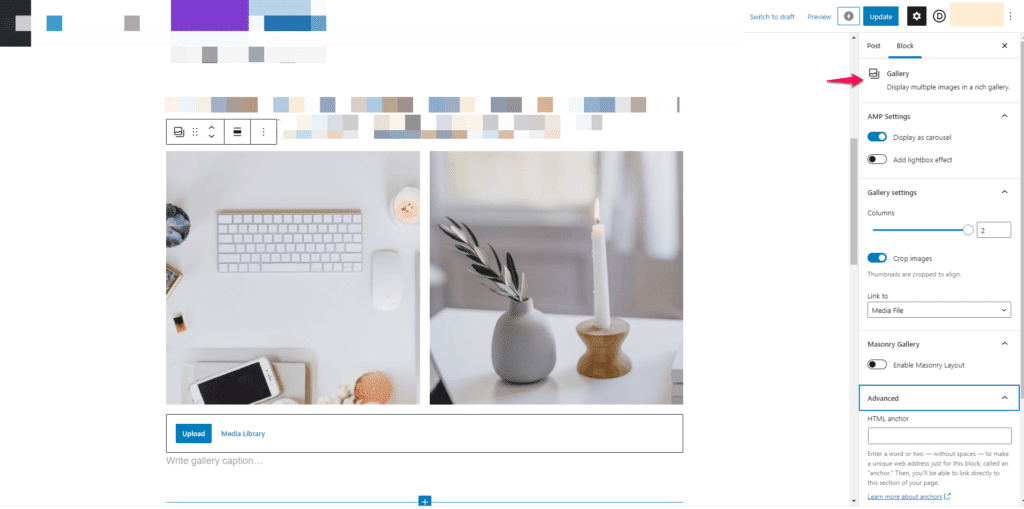
On the right side the block editor will show allowing you to edit the look of the gallery and after that you will publish or update your changes.



Leave a comment