Table of contents
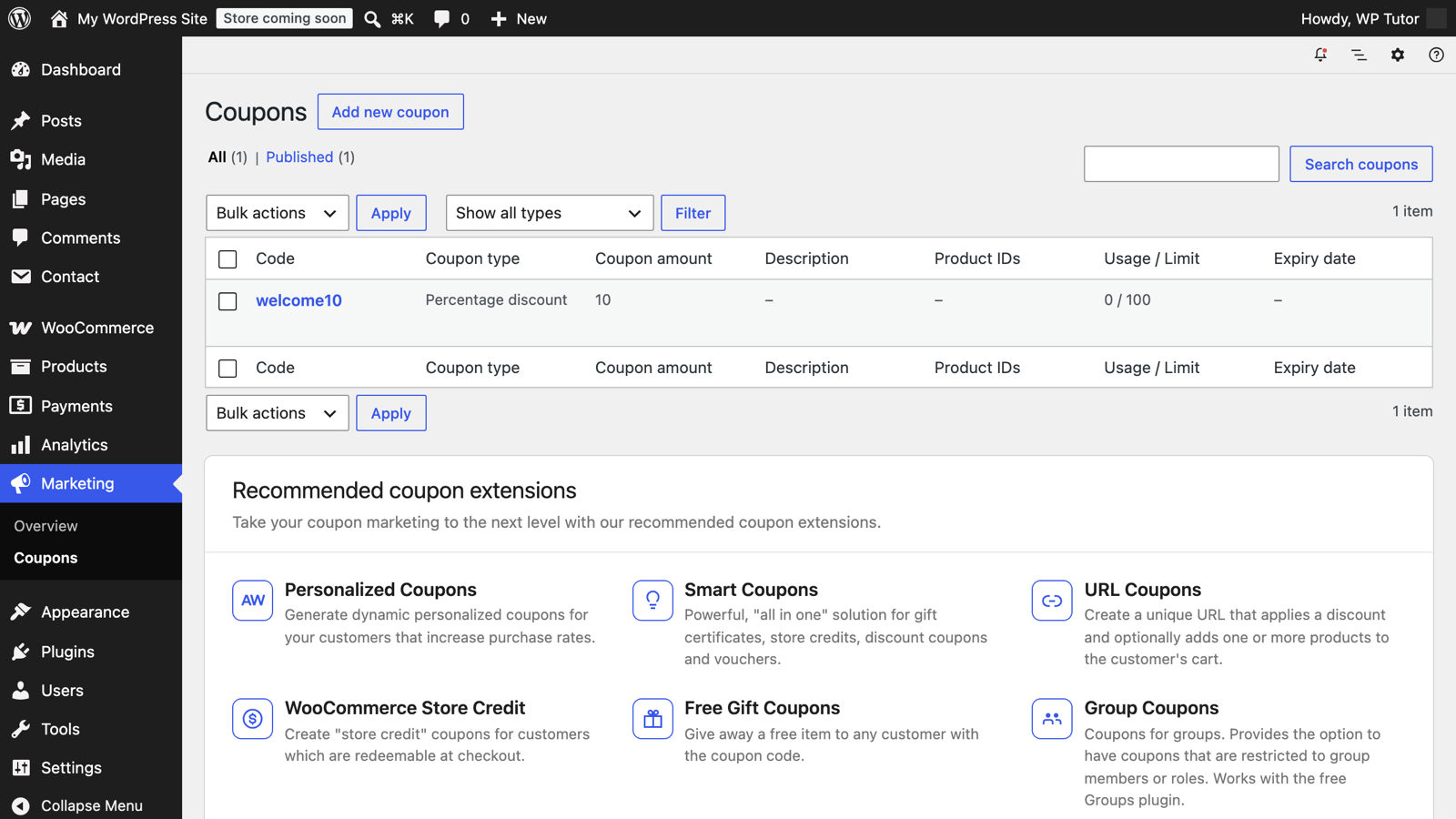
A discount code is the simplest marketing machine a store has — and WooCommerce ships coupon management in core. The skill isn't creating the code; it's the restrictions that keep it from costing you money. Screenshots from WooCommerce on WordPress 7.0, August 2026.
- Create codes under Marketing → Coupons (or WooCommerce → Coupons).
- Three discount types: percentage, fixed cart, fixed product.
- Always set an expiry date and a usage limit — future-you will be grateful.
- Usage restrictions (minimum spend, products, emails) prevent stacking surprises.
Go to Marketing → Coupons → Add coupon. The code is what customers type —
short, memorable, uppercase by convention: WELCOME10.
In the General tab pick the discount type and amount — here 10% off the cart. This tab also holds free shipping (tick to let this code unlock the free-shipping method) and the expiry date.
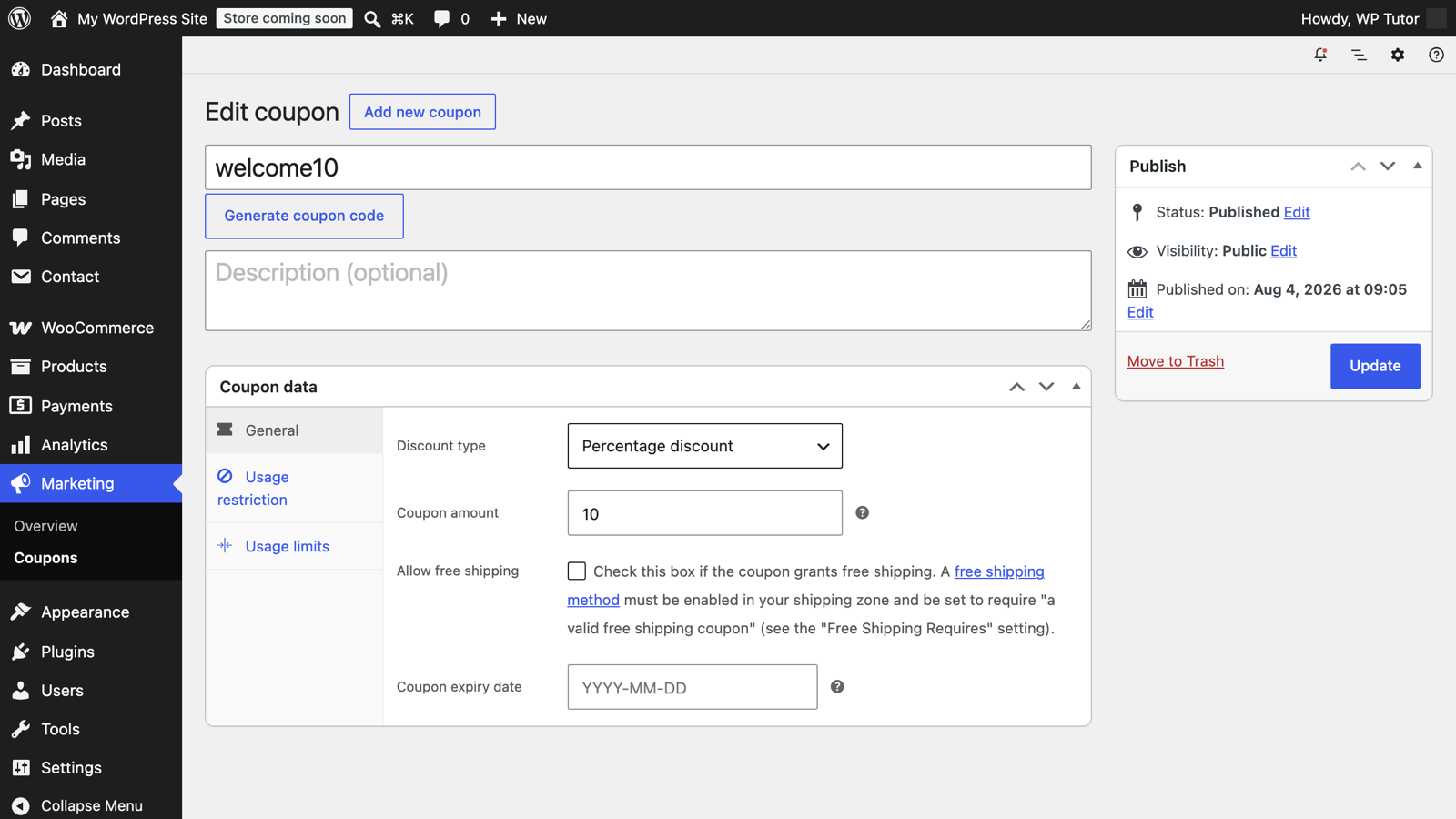
Two more tabs decide how safe the code is:
- Usage restriction — minimum/maximum spend, include/exclude specific products or categories, exclude sale items, limit to certain billing emails, and "individual use only" (can't combine with other coupons).
- Usage limits — total uses across the store and uses per customer.
A launch code without limits has a way of ending up on coupon sites with
unlimited uses. 100 uses, 1 per customer, expires in 30 days is a sane
default.
Add a product to the cart, apply the code, and confirm the discount line appears and the math is right. Then test a cart that shouldn't qualify (below minimum spend, excluded product) and make sure it's rejected.
Share codes in email and social posts with clear terms. If you want auto-applied discount links or scheduled sales, that's extension territory — ask us before buying one; half the "coupon plugins" overlap with what core already does.

Leave a comment