Helping site owners learn WordPress since 2012 · (844) WP-TUTOR
Maintenance

Setting the number of blog posts per page in WordPress

Showing all blog posts in one page doesn't look good always. We can limit the number of blog posts for per page by following the steps below:

WT
WP Tutoring TeamWordPress Instructors
Updated Oct 6, 2021
1 min read

Showing all blog posts in one page doesn't look good always. We can limit the number of blog posts for per page by following the steps below:

Setting the number of blog posts per page in WordPress

STEP 1 : To set the blog post number, go to Settings > Reading menu in the WordPress Dashboard.
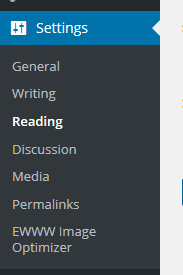
Setting the number

STEP 2 : You'll see Blog pages show at most field in that page.

 Setting the number of blog posts per page

STEP 3 : Just put the number you prefer.

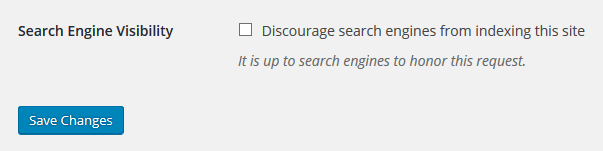
STEP 4 : Click Save Changes to save the blog page of your website.
Add new page

WT

WP Tutoring Team

WordPress Instructors

We’ve been teaching WordPress to individuals and businesses since 2013 — through step-by-step tutorials and 1-on-1 tutoring sessions.

Leave a comment

Comments are reviewed before they appear.

Get our free WordPress starter guide

Join thousands of site owners and get step-by-step WordPress tutorials in your inbox, plus printable cheat sheets.

Beginner-friendly, no jargon
Printable cheat sheets & checklists
Unsubscribe anytime

Request your session

We’ll reply quickly — usually the same business day.

By using this form you agree with the storage and handling of your data by this site.