Table of contents
Disclosure: some links in this post are affiliate links. If you sign up through them we earn a commission at no extra cost to you. We only recommend hosts we actually put client sites on.
Every time WP Engine comes up in a client conversation, the first question is the same: "Is it really worth $35 a month for one website?"
We have history here. This site ran on WP Engine for years, and back in 2016 we wrote about why we hosted with WP Engine. Most of what we said then is still true: it's a genuinely good host with a polished dashboard, solid support and fast hardware. But the WordPress hosting market has changed a lot in ten years, and the host we now put most client sites on is Cloudways. It's not close. You get the same managed-hosting feature set for less than half the price, you can run more than one site on it, and it gets out of your way when you need to do real work.
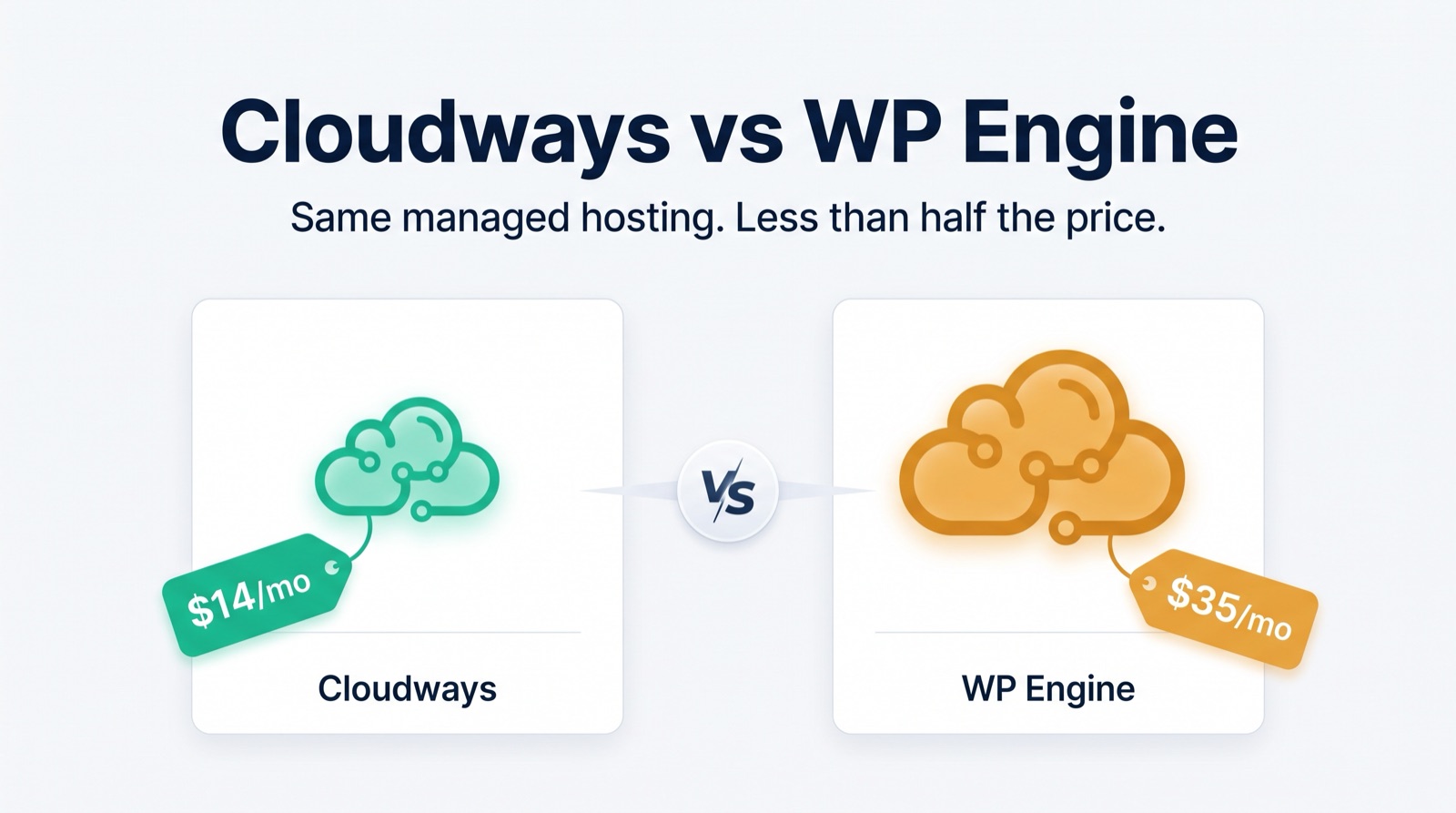
- A $14/mo Cloudways server gives you the same managed WordPress essentials as WP Engine's $30–35/mo starter plan: staging, SSH/SFTP, Git, free SSL, Redis, managed updates and security.
- Cloudways adds unlimited sites, unmetered visits, more storage and far more bandwidth.
- WP Engine's real advantages are bundled daily backups and a very hands-off experience.
- For freelancers, agencies, developers, or anyone running more than one site, Cloudways is the better deal.
The plans side by side
We're comparing the entry tiers, because that's where most people start: Cloudways on a 1 GB Linode server versus WP Engine's Essentials Startup plan.
| Feature | Cloudways (Linode 1 GB) | WP Engine (Essentials Startup) |
|---|---|---|
| Monthly price | $14/mo | $30–$35/mo |
| Hosting type | Managed cloud | Managed cloud |
| Websites | Unlimited (within server resources) | 1 website |
| Monthly visits | Unmetered | 25,000 visits/mo |
| Storage | 25 GB SSD | 10 GB |
| Bandwidth | 1 TB | 75 GB/mo |
| Server stack | Nginx, PHP 8.2, MariaDB | Nginx, PHP 8.4, MySQL |
| Staging | Included | Included |
| Backups | Off-site backups ~$0.033/GB | Daily backups included |
| Not included | Included (limited) | |
| SSH / SFTP | Included | Included |
| Git deployment | Included | Included |
| Object cache | Redis | WP_Object_Cache |
| Free SSL | Included | Included |
| Owned by | DigitalOcean | Silver Lake (private equity) |
Prices and limits as of August 2026; check both hosts' pricing pages before you buy.
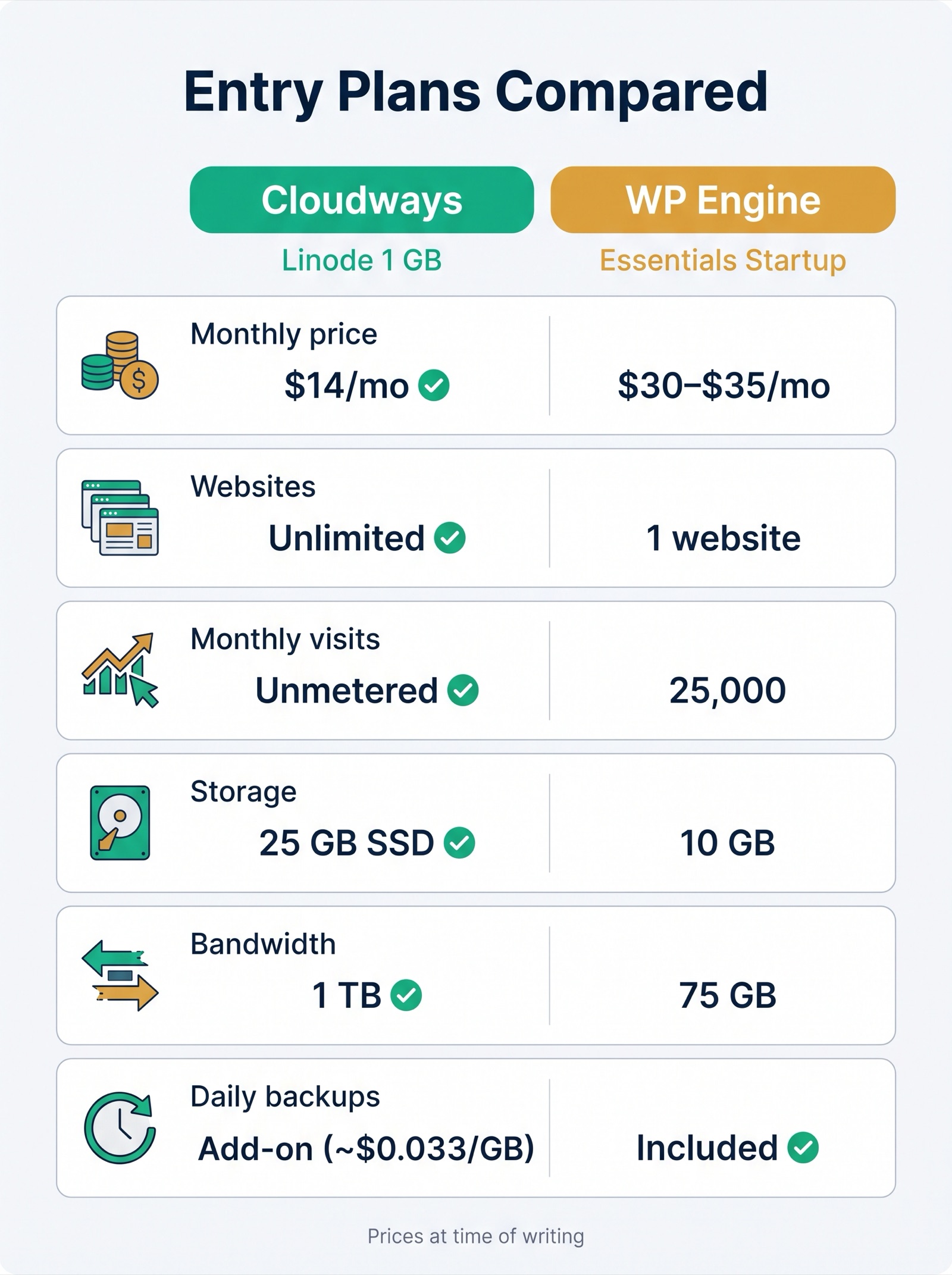
Read that table top to bottom and the pattern is obvious. For less than half the price, Cloudways gives you more storage, more than 13× the bandwidth, no visit cap, and no limit on the number of sites. WP Engine gives you one site, a 25,000-visit ceiling, and 75 GB of bandwidth.
The places WP Engine genuinely wins on the spec sheet: bundled daily backups (Cloudways charges a small per-GB fee for off-site backups, which for a typical site works out to well under a dollar a month) and a limited email offering. Neither one changes the math.
1. One site vs. as many as you want
This is the single biggest difference and the one people underestimate.
WP Engine's starter plan is for one website. Want a second site? That's another plan, or a jump to a higher tier. Want a staging copy of a client site while you also run your own portfolio and a test install for a plugin you're evaluating? On WP Engine that's a licensing question. On Cloudways it's just three apps on the same server.
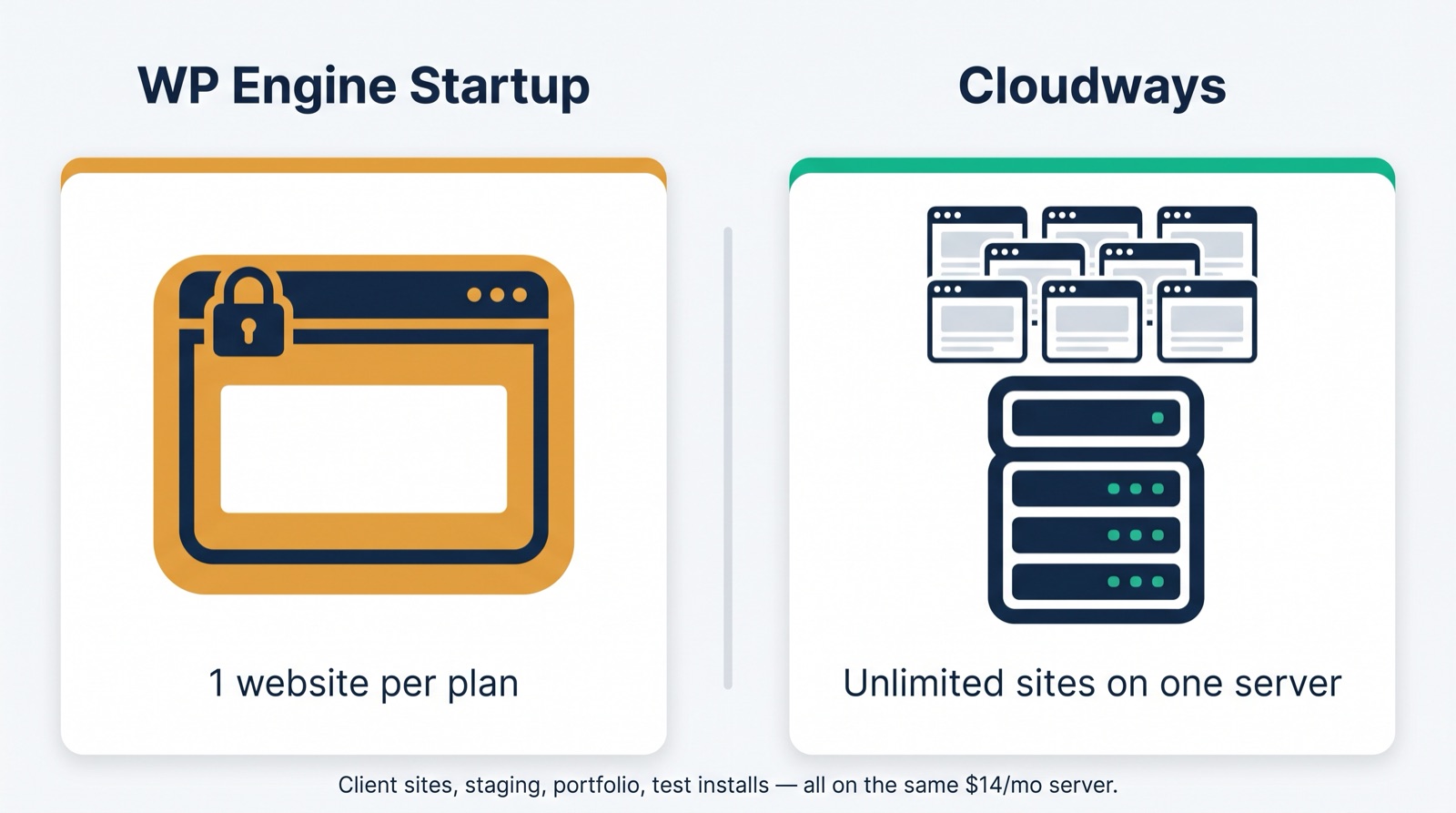
For anyone who does WordPress work for other people — freelancers, agencies, consultants, or students building a portfolio — this alone settles it. We routinely run several client sites on a single Cloudways server, and each one gets its own staging environment, its own SFTP credentials, and its own SSL certificate.
Cloudways has no "how many sites" metering. The only limit is what the server can handle, and if you outgrow it you resize the server with a couple of clicks (more on that below).
2. No visit caps, no overage anxiety
WP Engine's entry plan caps you at 25,000 visits a month. Go over consistently and you're looking at overage charges or a forced upgrade. That number sounds like a lot until a post gets shared somewhere, a client runs an ad campaign, or a bot crawls your site aggressively (and yes, bot hits count).
Cloudways doesn't meter visits. You pay for a server with a fixed amount of RAM, CPU and bandwidth (1 TB on the entry plan), and what you do with it is your business. A traffic spike doesn't generate a bill; it just uses the resources you already paid for.
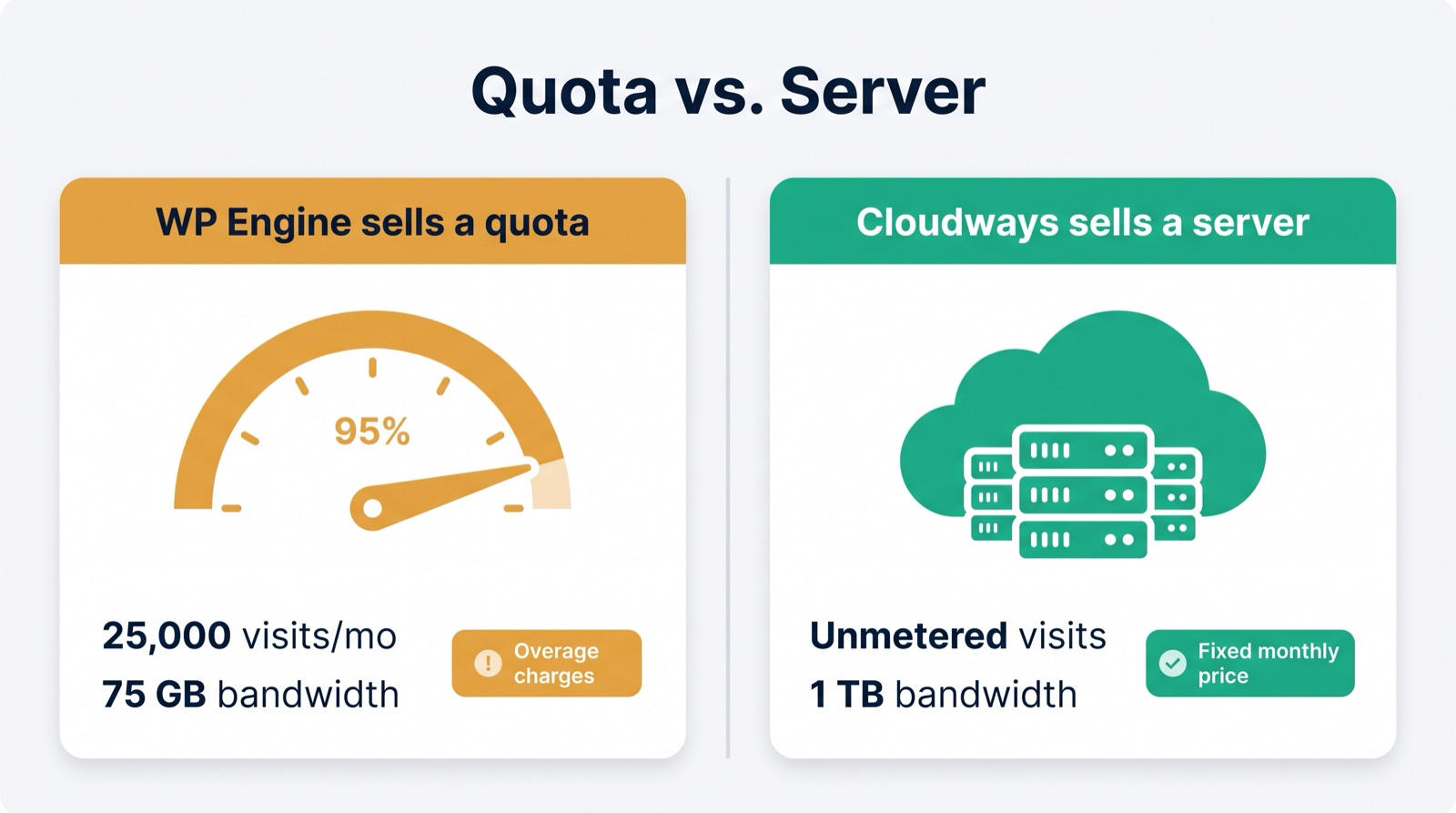
The mental model is completely different. WP Engine sells you a quota. Cloudways sells you a server.
3. Cloudways gets out of your way; WP Engine babysits you
WP Engine's "managed" experience is a double-edged sword. Because they operate a tightly controlled platform, they lock down a lot of things a developer expects to be able to touch. Some restrictions we've seen developers run into on WP Engine over the years (a few of these have loosened over time, so verify against the current docs, but the pattern is consistent):
- No changes to file or directory permissions. Need to run a binary (a PDF generator, an image tool)? Not happening.
- No real server cron. You're limited to WP-Cron, which only fires when someone visits the site.
- Disabled PHP functions like
exec(), so no shelling out tomysqldumpor other command-line tools from your code. ORDER BY RAND()disabled by default in MySQL. Random-post widgets break until you find the toggle.- Aggressive caching you can't fully turn off, which interferes with cookies and PHP sessions for custom functionality.
- Short access-log retention (historically about two days) with no archive option.
- A curated disallowed-plugins list that blocks a number of common backup, caching and related-posts plugins.
None of these are unreasonable from WP Engine's point of view. They're protecting a shared platform. But if you're past the point of needing a hosting babysitter, they turn into a steady drip of "sorry, we don't allow that."
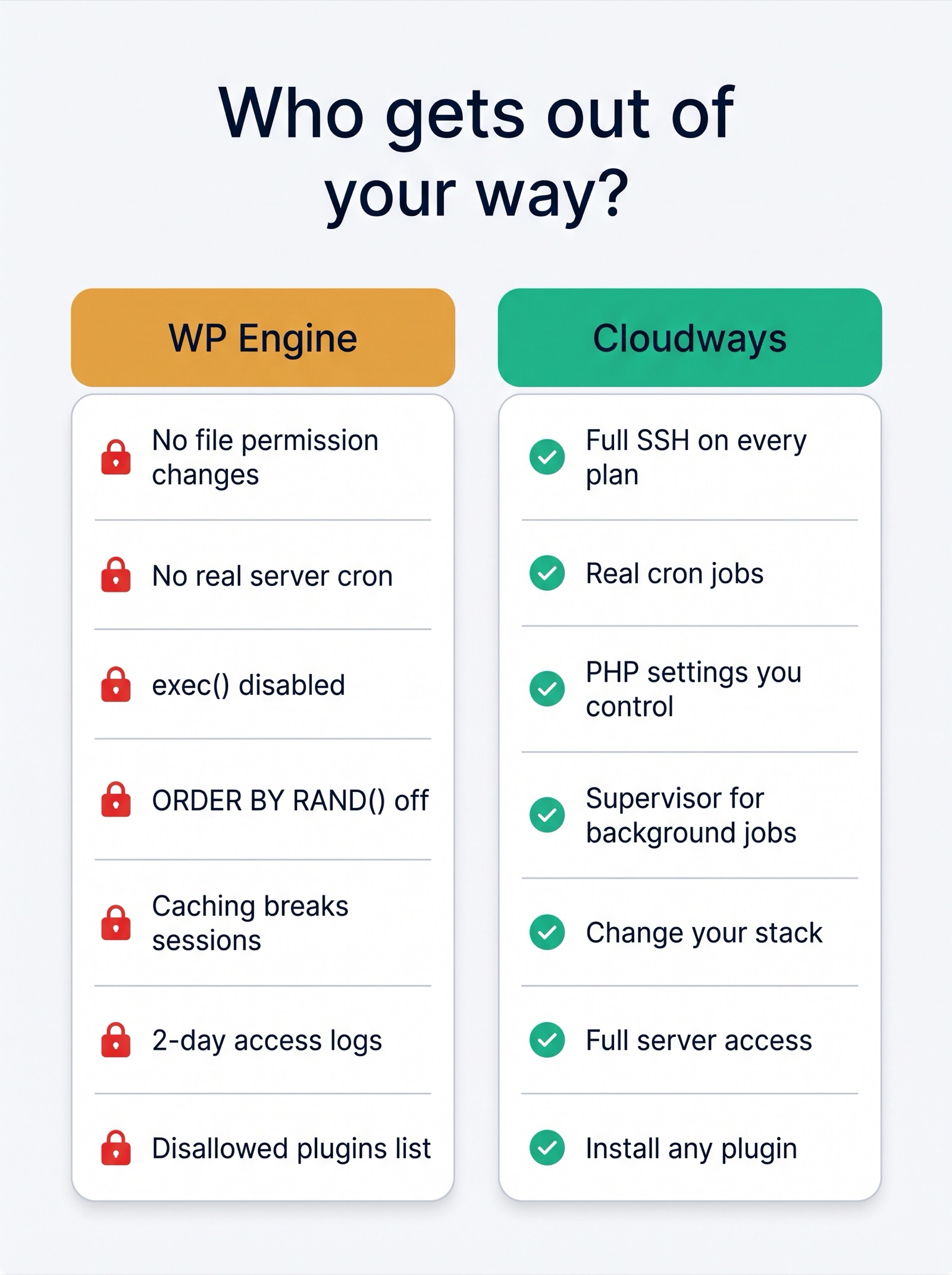
Cloudways is a managed layer on top of a real cloud server. You get full SSH access on every plan, real cron jobs from the dashboard, Supervisor for background processes, and the freedom to change PHP settings, permissions and stack options yourself. It's still managed — security patching, firewall, monitoring, one-click SSL, managed updates and 24/7 support are all there — but the guardrails are defaults, not walls.
4. Scaling and choice of infrastructure
WP Engine runs on its own platform. When you outgrow a plan, you move to the next plan.
Cloudways lets you pick the underlying cloud — DigitalOcean, Linode (Akamai), Vultr, AWS or Google Cloud — in whatever region you want. Start on a $14 Linode, and when a site takes off you scale the server vertically in the dashboard, or clone the app to a bigger server. Billing is hourly, so you can spin up a server for a week-long project and tear it down without paying for a full month.
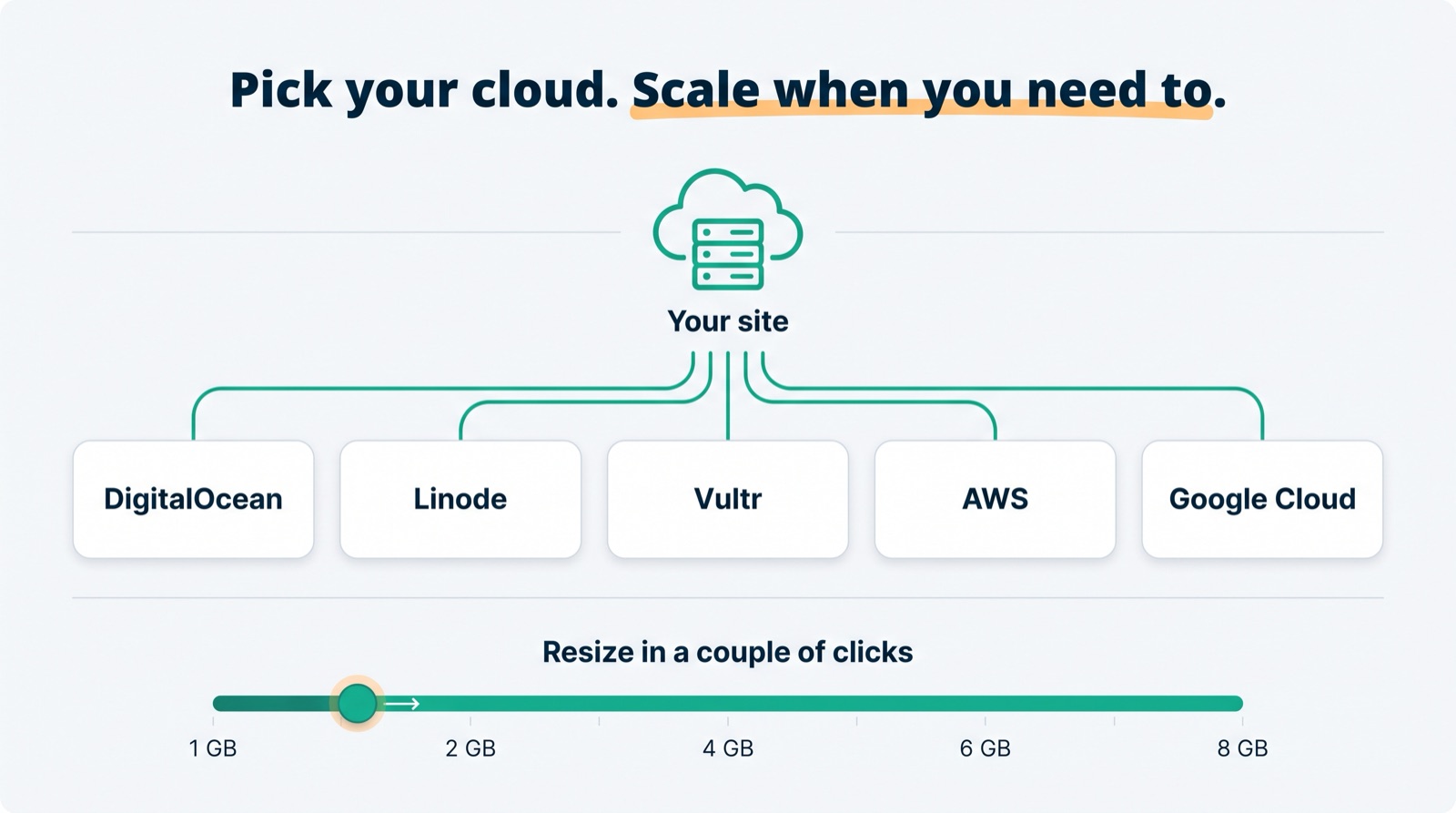
For a training environment, a client demo, or a "let us test this migration before we commit" scenario, that flexibility is worth a lot.
5. Developer workflow and the API
This one matters more every year, especially as more of us automate with scripts and AI tools.
Both hosts have an API, so this isn't a "one has it, one doesn't" comparison. WP Engine's Hosting Platform API covers account and user management, site and install provisioning, backups, SSL, cache purging and SSH keys. That's real automation.
The difference is how much of the day-to-day workflow is handed to you versus how much you have to assemble yourself. Cloudways' API exposes the things developers actually do as purpose-built endpoints:
- Git deployment and webhook-based auto-deploy
- Staging and cloning as first-class operations (not a generic "copy install" primitive you script logic around)
- Restore and rollback
- SSH access automation
- WordPress update endpoints
- Multisite management
- Team and access management
- Monitoring and analytics
Cloudways also publishes an official MCP server, which means you can drive server management from AI agents like Claude Code without writing your own integration.
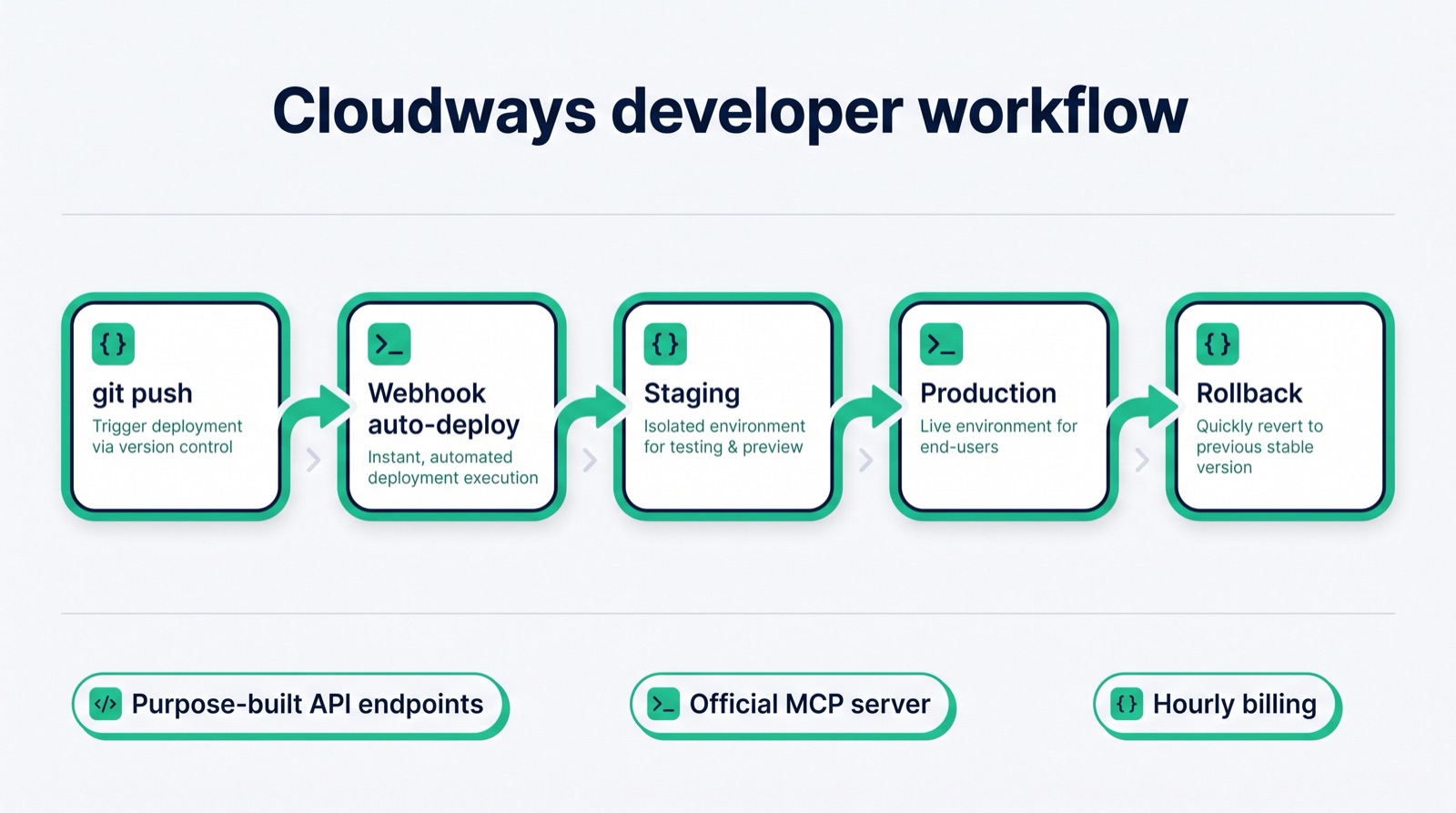
The practical result: on Cloudways you can push from Git, spin up staging, roll back a bad deploy and manage team access with very little custom glue code. On WP Engine, several of those are things you build yourself on top of lower-level primitives.
6. Ownership and platform risk
This is a softer point, but it's worth knowing who you're buying from.
Cloudways was acquired by DigitalOcean in 2022 and has been folded into a company whose whole business is running cloud infrastructure. WP Engine is majority-owned by Silver Lake, a private-equity firm, and in late 2024 it ended up in a very public dispute with Automattic and WordPress.org that, for a period, disrupted WP Engine customers' access to plugin and theme updates from the WordPress.org directory. WP Engine put workarounds in place, and the legal side is still working through the courts as of this writing, but it's a reminder that a host's relationships with the broader WordPress ecosystem can affect you directly.
We're not telling you to pick a host based on lawsuits. We are telling you that "the safe, boring choice" isn't as boring as its reputation suggests.
Where WP Engine is genuinely better
We don't want this to read like a hit piece, because WP Engine does some things well and you should know what you'd be giving up:
- Daily backups are bundled. Cloudways backups are a small per-GB add-on for off-site storage. Cheap, but not free, and you have to turn them on.
- The most hands-off experience. If you never want to see a server setting, never want to think about PHP versions, and want one vendor to own the whole stack, WP Engine's opinionated approach is a feature.
- Premium support and platform-level protections (edge security, rate limiting, WAF) are built into the price.
- Bundled email, though it's limited and we'd use a dedicated email provider either way.
If you have exactly one site, don't want to touch anything technical, and the price doesn't bother you, WP Engine is a fine choice. It's just not the best value, and for anyone running multiple sites or doing development work, the restrictions start to cost you time.
What we actually recommend
- Get your domain somewhere cheap and independent. We like Porkbun (around $11/yr for a .com). Keeping your domain separate from your host makes it painless to move later.
- Sign up for Cloudways and start with the $14/mo Linode 1 GB server. Our link applies the WPSUPPORT promo code at signup. It's plenty for a handful of typical business or portfolio sites.
- Go bigger only if you need to. If you're running a busy WooCommerce store or a membership site, step up to a 2 GB server — roughly the same price as WP Engine's starter plan, and you can still host multiple sites on it.
Not sure managed hosting is what you need at all? Start with 5 ways to know if you need better WordPress hosting and 13 steps to choose the right WordPress host.
Moving from WP Engine to Cloudways
Migration is free, and it's the same process we walk students through:
Sign up for Cloudways, launch a server (the $14/mo Linode is the right starting point), and add a blank WordPress application to it.
On your existing WP Engine site, install the free Cloudways WordPress Migrator plugin from the WordPress.org directory.
Paste in your Cloudways app details (they're in the Cloudways dashboard) and start the migration. The plugin copies your files and database for you. If you'd rather not touch it, Cloudways' team will do the migration for you at no charge.
Open the migrated site on the temporary Cloudways URL and click through everything: forms, checkout, logins, media.
Update your DNS records to point at the Cloudways server, then enable the free SSL certificate in the Cloudways dashboard. DNS usually propagates within an hour, occasionally up to 24.
Keep WP Engine active until you've confirmed everything works on Cloudways. Then cancel.
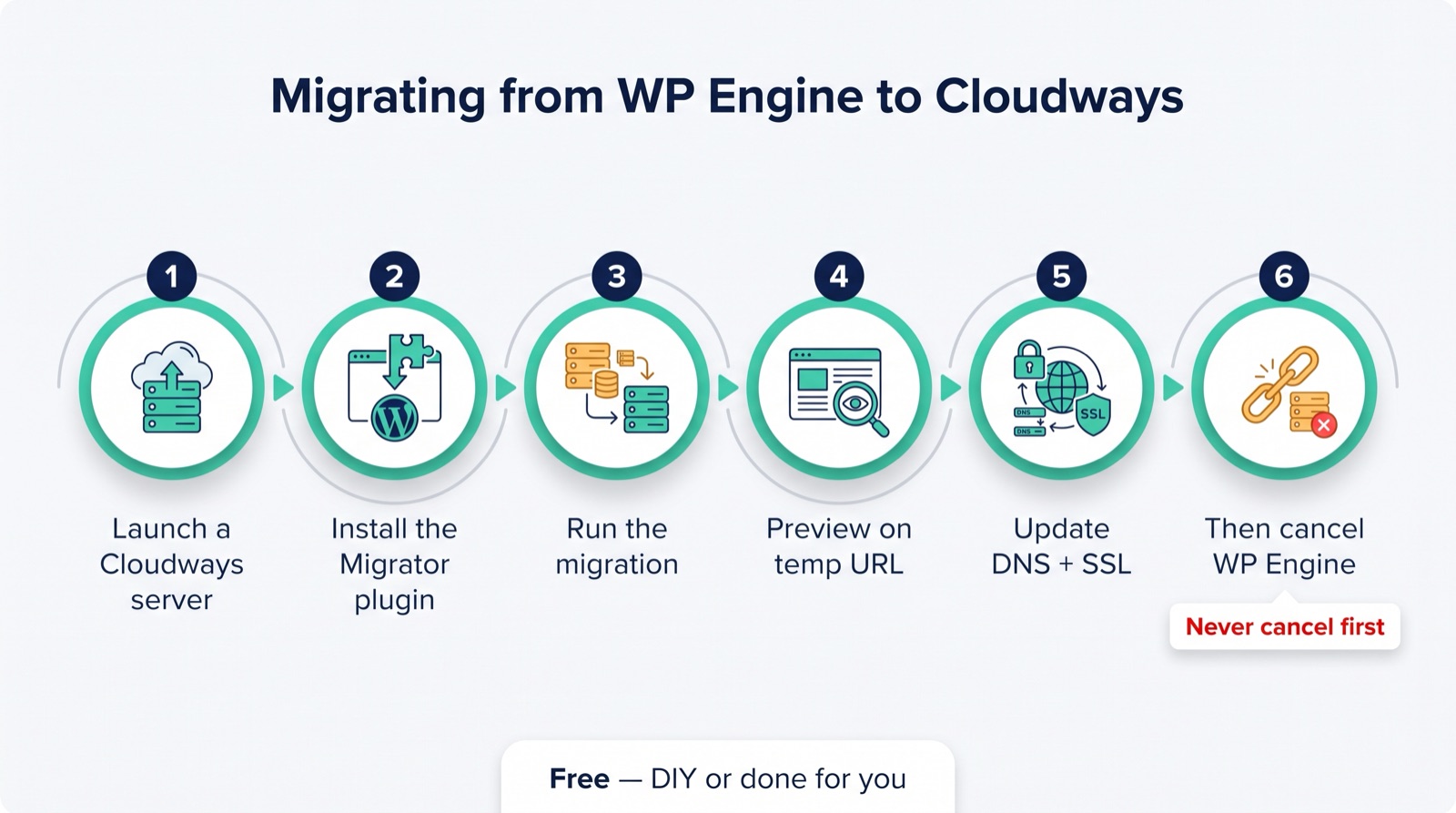
Cancelling WP Engine before the migrated site is verified on Cloudways is the one mistake you can't undo cheaply. Migrate, verify, switch DNS, and only then cancel. If you time the switch for a quiet period, most visitors will never notice.
Bottom line
WP Engine is a good host that charges a premium for a single site, a visit cap and a locked-down environment. Cloudways gives you the same managed essentials, unlimited sites, unmetered traffic, real server access, a better developer API and your choice of cloud provider, for less than half the price.
For most of the people we work with — freelancers, small agencies, consultants, and anyone maintaining more than one WordPress site — that's not a close call.
Try Cloudways here, and if you get stuck on setup or migration, that's exactly the kind of thing we help with.
Keep learning
- Why we hosted with WP Engine (2016)
- 5 ways to know if you need better WordPress hosting
- 13 steps to choose the right WordPress host
- WP Tutoring list of web hosts 2026
Leave a comment