NewThe WP Tutoring WordPress training platform is live — on demand video courses and interactive WordPress lessons. Free lessons included.Start free
Helping site owners learn WordPress since 2012 · (844) WP-TUTOR
Maintenance

Import and Export WordPress Data

WordPress is a strong blogging CMS with lots of useful features. Import-Export option is one of them. We can easily export the blogs, pages, media files…

WT
WP Tutoring TeamWordPress Instructors
Updated Oct 7, 2021
1 min read

WordPress is a strong blogging CMS with lots of useful features. Import-Export option is one of them. We can easily export the blogs, pages, media files etc. from one site to another. Follow the steps below to do this.

Import and Export WordPress Data

Export WordPress Data:

STEP 1 : Login to your WordPress Dashboard and go to Tools > Export.
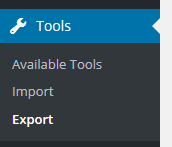
Wordpress Data

STEP 2 : You'll see different options in that page. You can export All Content or specific content of the site.
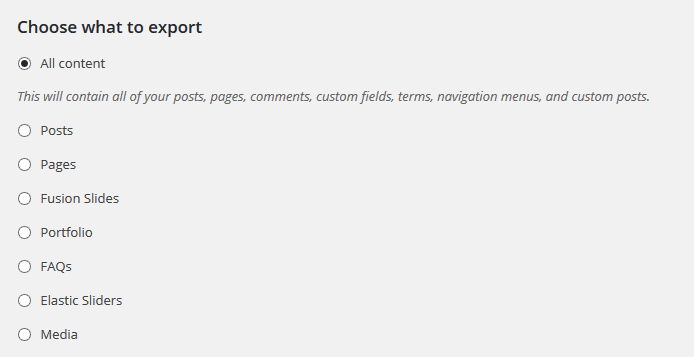
 Import and Export

STEP 3 : Select your desired option and click Download Export File.

Download Export File button on the Tools Export screen

Import WordPress Data:

STEP 1 : Go to Tools > Import.
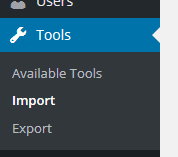
Tools menu in the WordPress dashboard with the Import option

STEP 2 : You'll see different blogging platforms to import. Click WordPress as we are using WordPress.
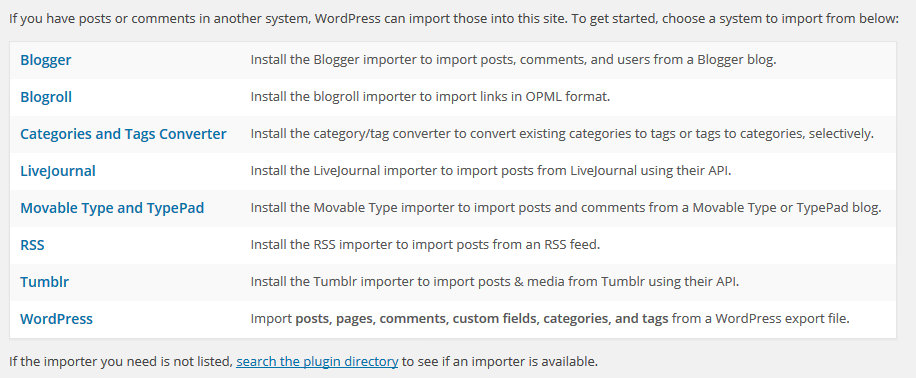
Tools Import screen listing platforms with the WordPress option

STEP 3 : It will ask you to install a plugin WordPress Importer. Click Install Now and activate the plugin.

Install Now prompt for the WordPress Importer plugin

STEP 4 : Browse your xml file and click Upload file and import.
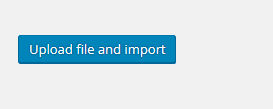
Choosing the XML file and clicking Upload file and import

STEP 5 : Your uploaded file will import the content and will ask you to assign the content to the site user. It will also download attachment files if available.

That's it. Now you can export and import WordPress data easily.
WT

WP Tutoring Team

WordPress Instructors

We’ve been teaching WordPress to individuals and businesses since 2013 — through step-by-step tutorials, video courses, and 1-on-1 tutoring sessions.

Leave a comment

Comments are reviewed before they appear.

Get our free WordPress starter guide

Join thousands of site owners and get step-by-step WordPress tutorials in your inbox, plus printable cheat sheets.

Beginner-friendly, no jargon
Printable cheat sheets & checklists
Unsubscribe anytime

Request your session

We’ll reply quickly — usually the same business day.

By using this form you agree with the storage and handling of your data by this site.

Access our WordPress Training Academy videos

Step-by-step video courses covering the block editor, themes, plugins, and everything you need to build a site you’re proud of. Free lessons included — browse the full library before you sign up for anything.

Explore the Academy