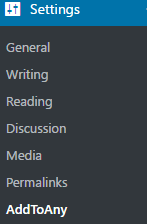
Socal Media is by far one of the best ways to get the word out about your great content or busiess news. Let's make it easy for others to promote your mssage by adding social media to your site via the "Add to Any" plugin. STEP 1 The first step is to open Dashboard ‹ If you do not have the add to any plug in click plug ins then click add new and search for it , Once its activated click Settings 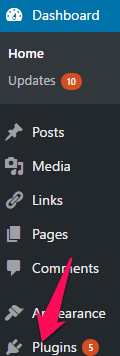 Step 2 Click AddToAny
 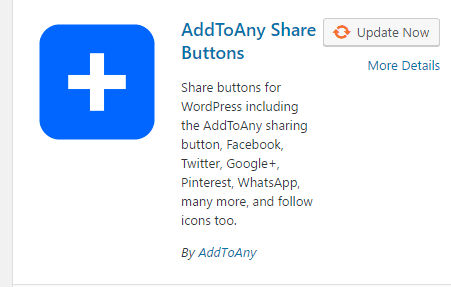 STEP 3 The AddToAny Share Settings page will pop up
  STEP 4 The Standalone Buttons is were you will have your main social media buttons such as facebook,twitter and google
 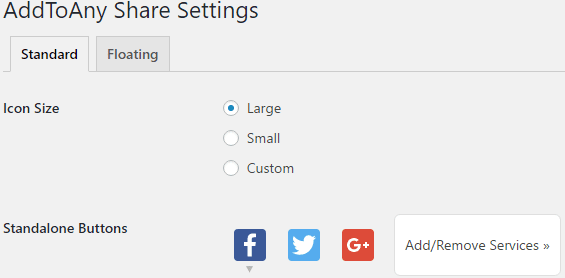 STEP 5 to add more social media buttons to the standalone , click on the add/remove services which will show you all the social media buttons you can choose from
 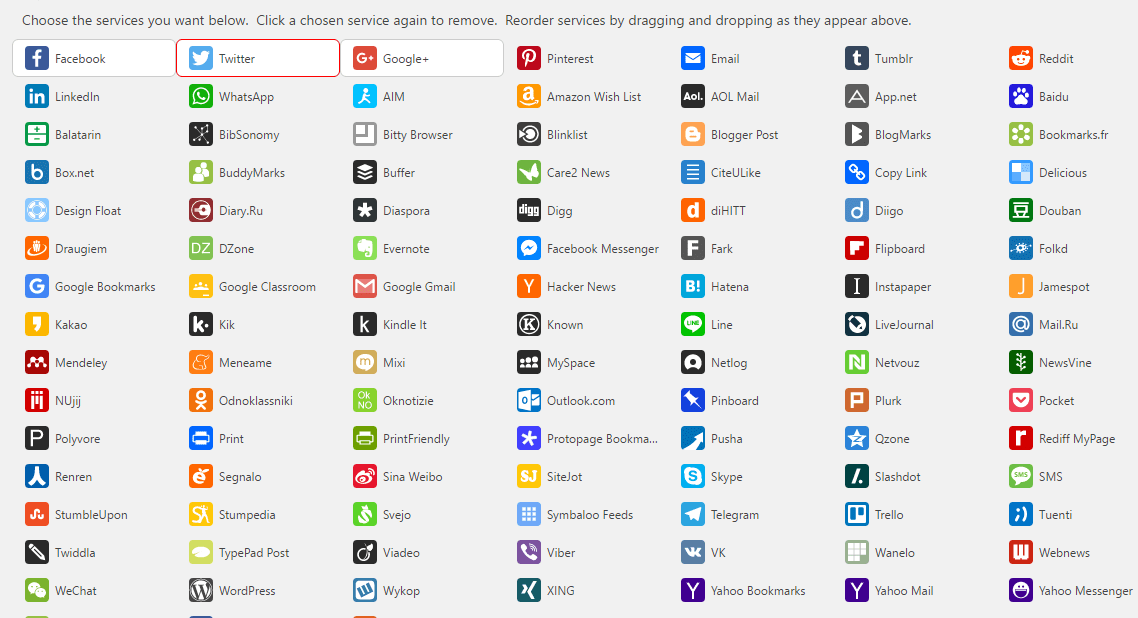 STEP 6 once you are done configuring your settings Click Save Changes STEP 7 Click Appearance STEP 8 Click Widgets STEP 9 in your widgets page you will have AddToAny Follow and AddToAny Share widgets
  STEP 10 when adding the widgets AddToAny Follow or share you will see a list of social media urls pop up
 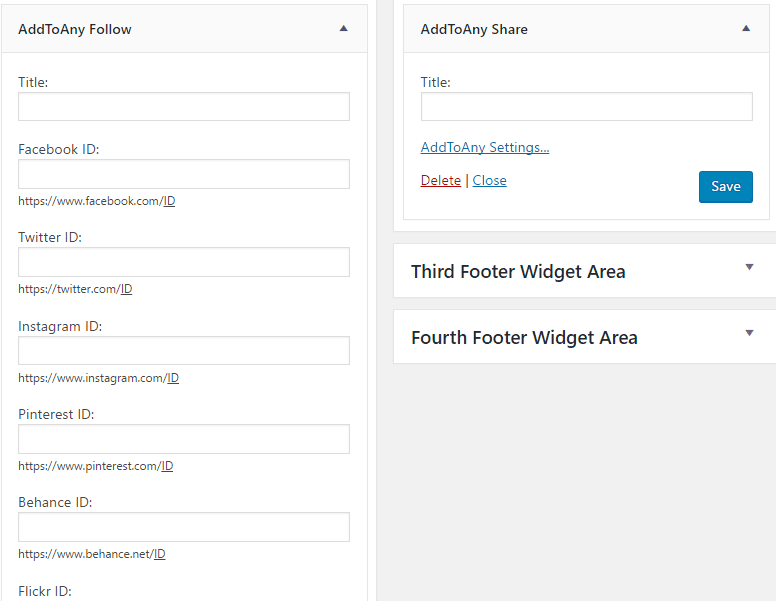 STEP 11 fill out the profile ID for each social media channel that you would like to use
 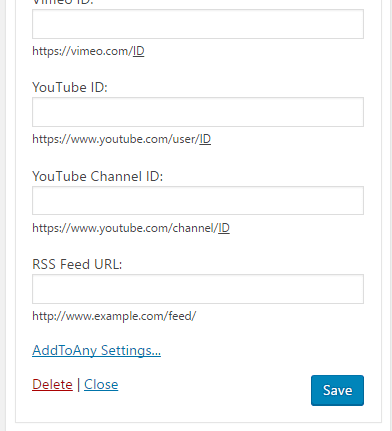 STEP 12 Click Save That's it. You're done.
WordPress Basics
How to add social media icons to your WordPress site
WordPress tutorial: How to add social media icons to your WordPress site



Get our free WordPress starter guide
Join thousands of site owners and get step-by-step WordPress tutorials in your inbox, plus printable cheat sheets.
Beginner-friendly, no jargon
Printable cheat sheets & checklists
Unsubscribe anytime
Leave a comment