NewThe WP Tutoring WordPress training platform is live — on demand video courses and interactive WordPress lessons. Free lessons included.Start free
Helping site owners learn WordPress since 2012 · (844) WP-TUTOR
Plugins

WordPress Not Sending Email? Fix It for Good with FluentSMTP

Password resets, form messages, and order emails not arriving? Fix WordPress email delivery permanently with the free FluentSMTP plugin.

WT
WP Tutoring TeamWordPress Instructors
Updated Aug 8, 2026
2 min read
Table of contents

Missing password resets. Contact forms into the void. Order confirmations that never arrive. All one root cause: WordPress sends mail the way spam does — unauthenticated, from a web server. The permanent fix is routing every email through a real mail service, and FluentSMTP does it free. Screenshots from a working setup on WordPress 7.0, August 2026 — including the log entries proving delivery. (Background reading: what SMTP is and why your site needs it.)

TL;DR The 30-second version
  • Install FluentSMTP (free, no upsell) → Settings → FluentSMTP.
  • Connect your mail service — Google/Microsoft API, host SMTP, or SES/Brevo.
  • Send the built-in test email, then watch Email Logs show sent.
  • One setup fixes everything: forms, WooCommerce, password resets.
Install FluentSMTP and open its dashboard

Plugins → Add Plugin → “FluentSMTP”, activate, then Settings → FluentSMTP. The dashboard shows connections and a sending report once you're live:
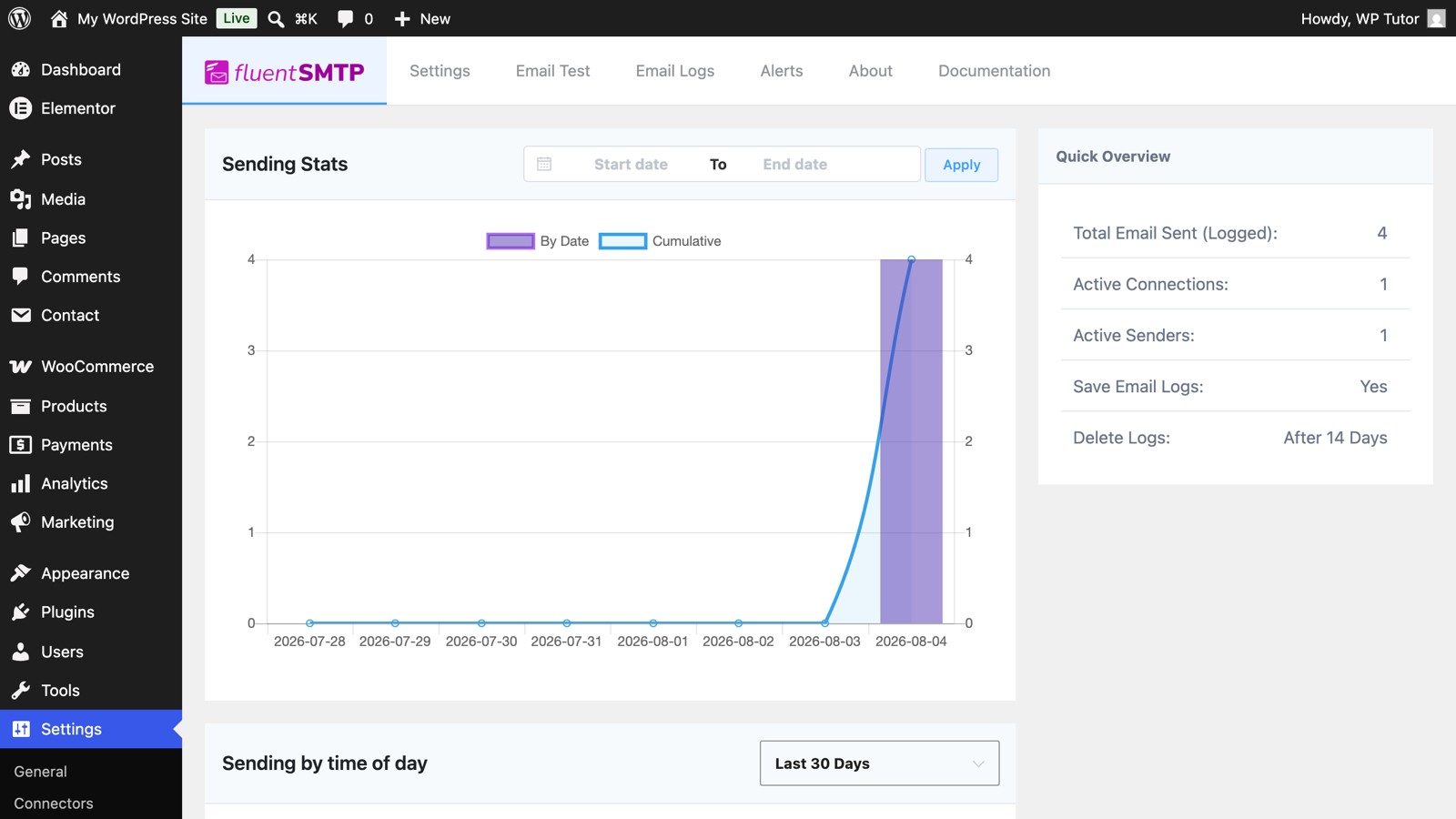
The FluentSMTP dashboard

Add a connection

The setup wizard lists providers — Gmail/Google Workspace, Outlook, Amazon SES, Brevo, Mailgun, or Other SMTP for any mail server. Pick yours, authenticate, and set the From name and email (an address on your own domain):
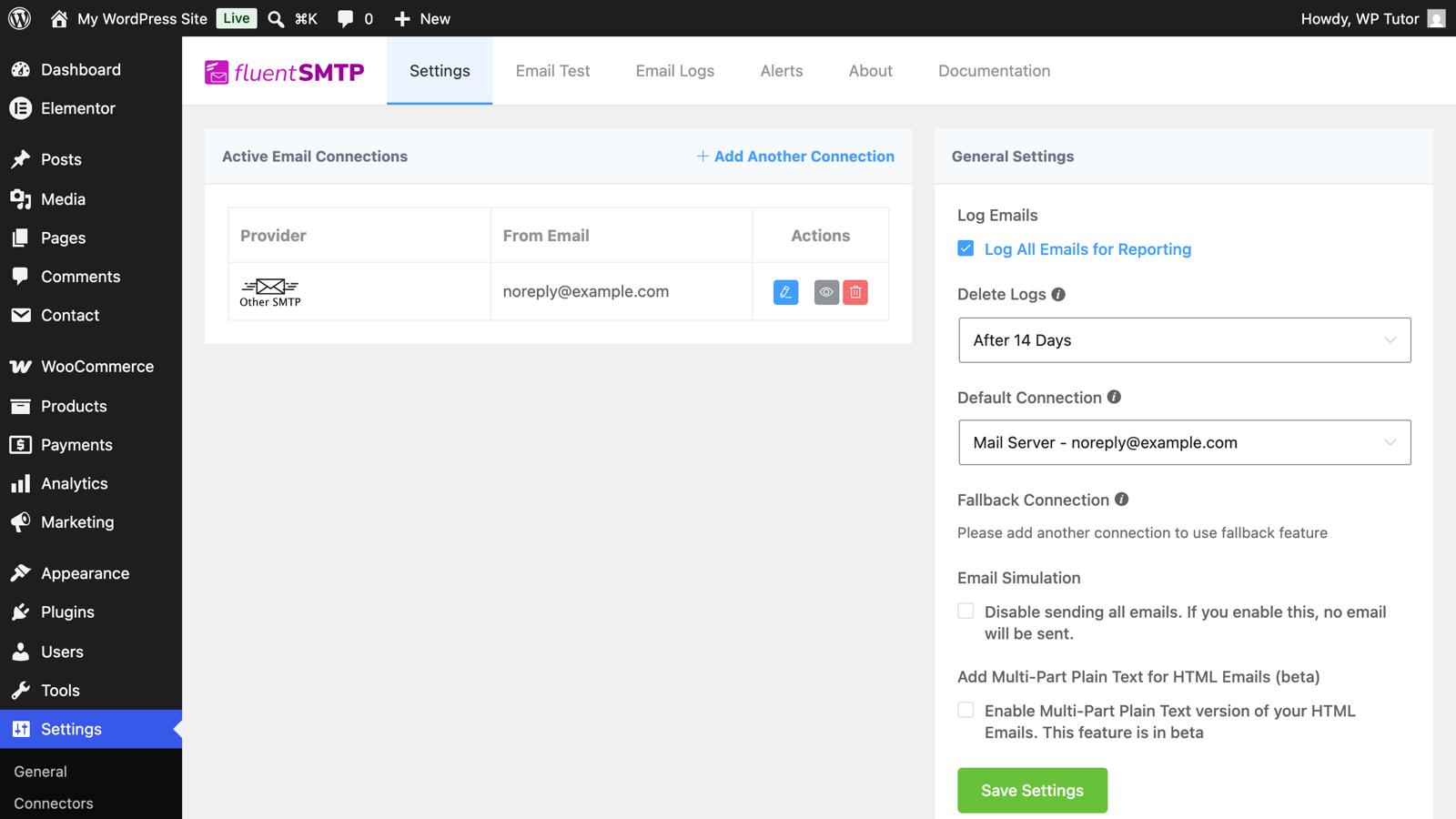
A configured SMTP connection in FluentSMTP

Turn on email logging when offered — the log is your future debugging superpower.

Send the test email

The Email Test tab sends a message through your new connection to any address:
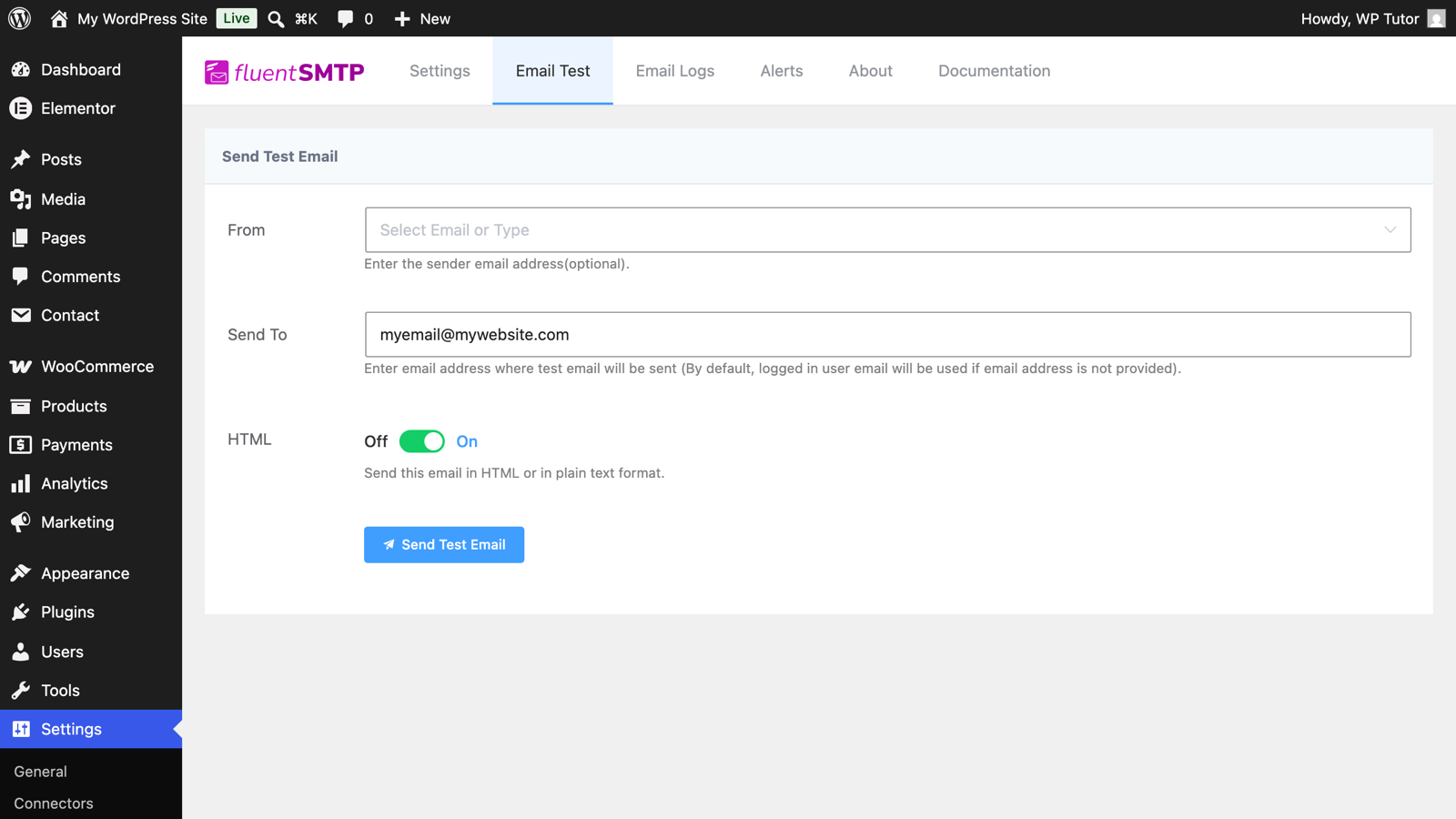
FluentSMTP's email test screen

If the test fails, the error is specific (bad credentials, blocked port, SPF) — fix and retry until it succeeds.

Trust the log, not vibes

Email Logs records every message the site sends with its status — password resets, form notifications, store receipts:
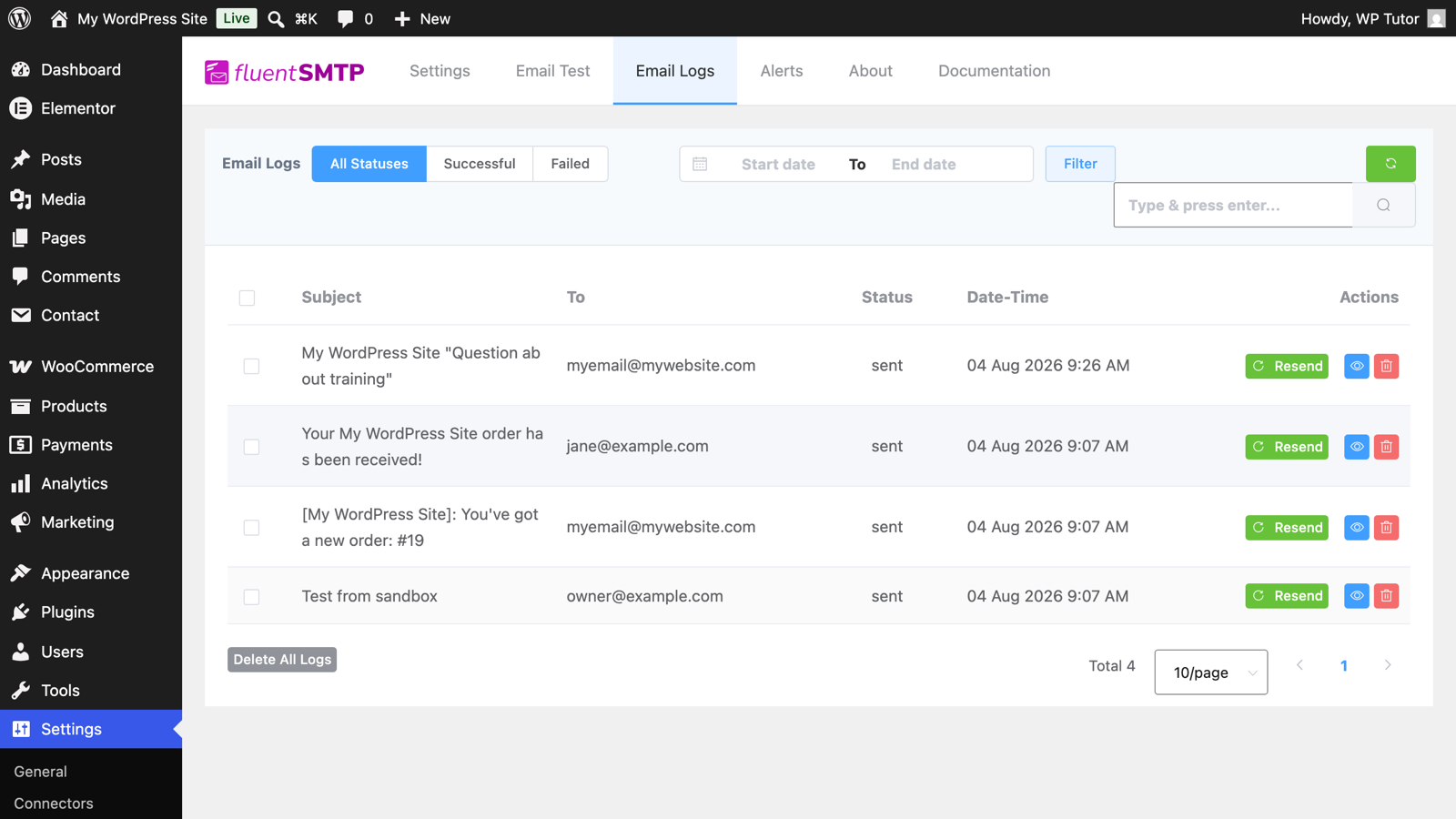
The FluentSMTP email log with delivered messages

From now on, "did the email send?" has a factual answer, with resend a click away.

Finish with DNS

For inbox (not spam-folder) delivery, your domain's SPF and DKIM records must authorize the service you connected — its setup page lists the exact DNS entries. Ten minutes, once, and deliverability problems mostly end.

Keep learning

Frequently asked questions

Why doesn't WordPress email work out of the box?
WordPress hands mail to the server's PHP mail function — unauthenticated mail from a shared web server, which is precisely what inbox providers treat as spam or refuse. Some hosts disable PHP mail entirely. Authenticated SMTP through a real mail service is the standard fix.
Which mail service should I connect?
If you have Google Workspace or Microsoft 365, use that — FluentSMTP connects via their APIs. Otherwise your host's SMTP server or a transactional service (Amazon SES, Brevo, Postmark) works; SES is the cheap workhorse for volume.
Is FluentSMTP really free? What's the catch?
Genuinely free, no pro version — the developers (WPManageNinja) fund it from their other products. You get all connections, logging, and routing without an upsell wall.
WT

WP Tutoring Team

WordPress Instructors

We’ve been teaching WordPress to individuals and businesses since 2013 — through step-by-step tutorials, video courses, and 1-on-1 tutoring sessions.

Leave a comment

Comments are reviewed before they appear.

Get our free WordPress starter guide

Join thousands of site owners and get step-by-step WordPress tutorials in your inbox, plus printable cheat sheets.

Beginner-friendly, no jargon
Printable cheat sheets & checklists
Unsubscribe anytime

Request your session

We’ll reply quickly — usually the same business day.

By using this form you agree with the storage and handling of your data by this site.

Access our WordPress Training Academy videos

Step-by-step video courses covering the block editor, themes, plugins, and everything you need to build a site you’re proud of. Free lessons included — browse the full library before you sign up for anything.

Explore the Academy