Helping site owners learn WordPress since 2012 · (844) WP-TUTOR
WordPress Basics

Deleting a category in WordPress

Categories are a part of WordPress blog posts. To delete a category from a blog post, follow the steps below:

WT
WP Tutoring TeamWordPress Instructors
Updated Oct 5, 2021
1 min read
Table of contents

Categories are a part of WordPress blog posts. To delete a category from a blog post, follow the steps below:

Deleting a category

STEP 1 : Go to the Categories menu from your WordPress Dashboard.
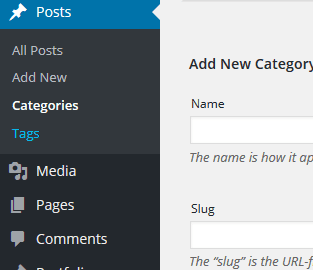
category

STEP 2 : Find the Category that you want to delete

STEP 3 : Click on Delete to delete the category from the list.
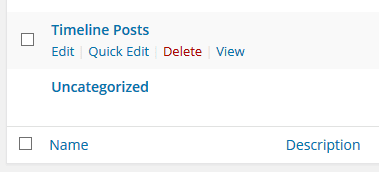
category 3

WT

WP Tutoring Team

WordPress Instructors

We’ve been teaching WordPress to individuals and businesses since 2013 — through step-by-step tutorials and 1-on-1 tutoring sessions.

Leave a comment

Comments are reviewed before they appear.

Get our free WordPress starter guide

Join thousands of site owners and get step-by-step WordPress tutorials in your inbox, plus printable cheat sheets.

Beginner-friendly, no jargon
Printable cheat sheets & checklists
Unsubscribe anytime

Request your session

We’ll reply quickly — usually the same business day.

By using this form you agree with the storage and handling of your data by this site.


