STEP 1 Depending on your theme that you are using Tags can be displayed at the top or bottom of the post On your Left side bar menu you will see posts and under it you will see Tags  STEP 2 Adding information for Tag After clicking on Tags you will be able to enter the name and description for the Tag
 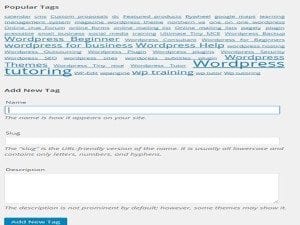 STEP 3 Adding Tags to the Post After putting in the information for your post depending on your theme set up and widgets you will see a Tags widget around the top or bottom of the page; and there you can choose which Tags you would like to Connect with the post, then you check that box and update it.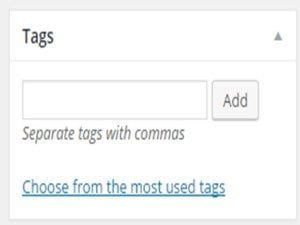
WordPress Basics
How To Add Tags in WordPress
Learn how to add tags in WordPress: create a new tag with a name and description, then assign it to your posts so readers can find related content.



Get our free WordPress starter guide
Join thousands of site owners and get step-by-step WordPress tutorials in your inbox, plus printable cheat sheets.
Beginner-friendly, no jargon
Printable cheat sheets & checklists
Unsubscribe anytime
Leave a comment